Thursday, 21 February 2013

Screen Speaker v1.1.2

Screen Speaker v1.1.2
Requirements: 2.3 and up
Overview: Screen Speaker Live Wallpaper!

This image has been resized. Click this bar to view the full image. The original image is sized 680x332px.
This image has been resized. Click this bar to view the full image. The original image is sized 512x320px.
This is a realistic renderer of speakers. In your choice of several options for the speakers, enclosures and bottom visualizer.
Remember, it`s only works when playing music!
Check the trial version of the application for review – Screen Speaker Free.
NOTE:
On some devices, the program can not work properly due to the use of their own add-ons manufacturer. The application may not support some media players. It is desirable to see the free version of the application.
How to install: Home->Long Press->LiveWallpapers->ScreenSpeaker
This app has no advertisements
More Info:
Code:

Blue Infinitum – Inverted v3.6

Blue Infinitum – Inverted v3.6
Requirements: Android 4.1+
Overview: This is a theme for Theme Chooser engine (CyanogenMod & AOKP),its purpose is to enhance the Android UI without compromising the vanilla look.

This image has been resized. Click this bar to view the full image. The original image is sized 680x332px.
This version includes inverted apps such as SMS, Contacts, Gmail, Email and Play Store.
Stock battery available as “circle” in settings for AOKP/Liquid.
If you get: “Sorry, this theme is missing assets for your device’s screen size”, APPLY IT ANYWAY.
Official thread @ XDA Developers: http://forum.xda-developers.com/showthr … ?t=1615767
FIX FOR CONTACTS AND MESSAGING APP TEXT ISSUES
http://www.mediafire.com/?5ge901bhqom3wvk
For any problem send me a mail.
What’s in this version:
To be sure to have this theme 100% working try CyanogenMod ROM
v3.6
-added inverted Google Now
This app has NO advertisements
More Info:
Download

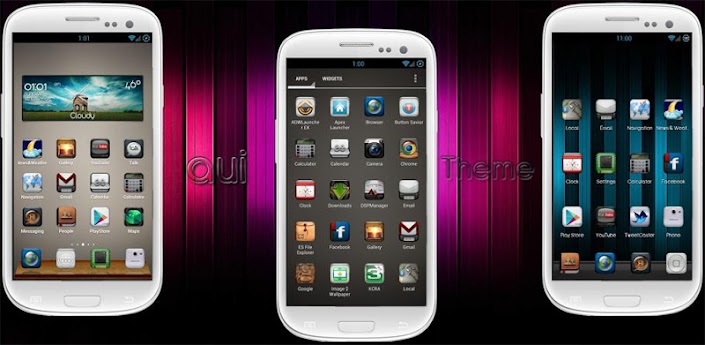
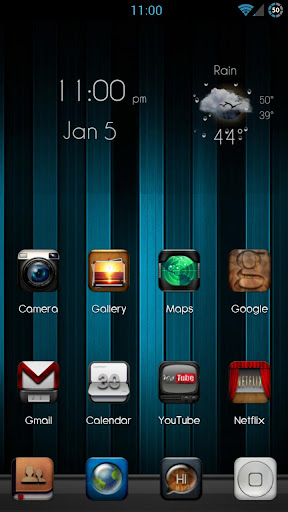
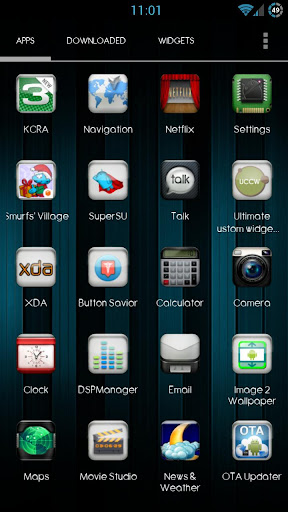
aui Theme nova adw apex v1.3

aui Theme nova adw apex v1.3
Requirements: Android 4.0 and up
Overview: This theme is Designed by 1stshift. The icons are custom made. More icons are coming soon.

This image has been resized. Click this bar to view the full image. The original image is sized 680x332px.
I will also create icons per request too. High detail has gone into each icon. The theme is clean, clear, and has high resolution. Download this theme now to see what you’ve been missing.
About the theme:
Works with
–Apex ADW Nova Launcher
Installation Apex Launcher :
Install Apex Launcher (Free or Pro)
–Install theme
–Open Apex Settings
–Open Theme Settings
–Select and Apply aui Theme
Thanks for your support!
More Info:
Code:

Neon Green Theme EX GOLauncher v1.0

Neon Green Theme EX GOLauncher v1.0
Requirements: Android 2.0 and up
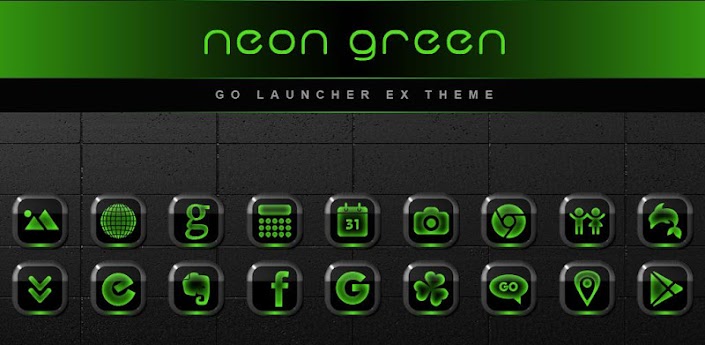
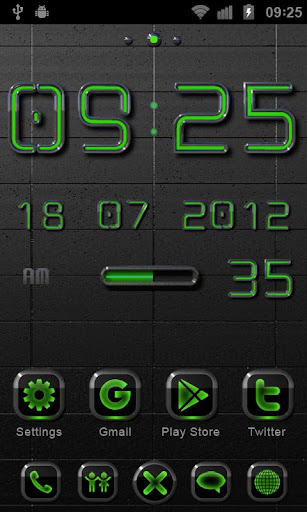
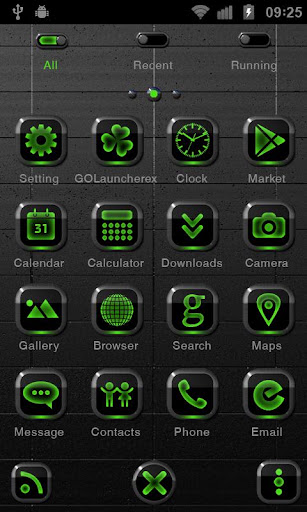
Overview: This Theme shows your homescreen in a new beautiful look. You will get an individuel and magnificent style for your smartphone with this exclusive design line.

This image has been resized. Click this bar to view the full image. The original image is sized 680x332px.
App content:
More than 90 Icons
1 HD Wallpapers
1. For the clock widgets in screenshots search a€œNEON GREEN Laser or Digital Clock Widgeta€ to download if you like.
2. Make sure the latest version of GO Launcher EX has been installed! (Search a€œGO Launcher EXa€ on Google Play Shop and install it for free.)
3. Apply the Theme: MENU->Themes->Choose a€œNeon Greena€ theme.
Same design line:
GO Locker NEON GREEN Theme
NEON GREEN Laser Clock Widget
NEON GREEN Digital Clock Widget
or the Set
NEON GREEN Widgets
App content:
1x Laser Clock Widget
1x Digital Clock Widget
1x Live Wallpaper
2x HQ Wallpapers
1x HQ Ringtone
1x Compass
More Info:
Code:

Suave HD (Nova Apex Go Theme) v2.7

Suave HD (Nova Apex Go Theme) v2.7
Requirements: Android 2.0 and up
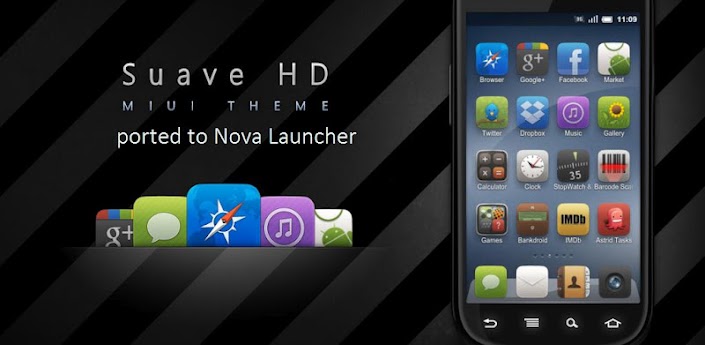
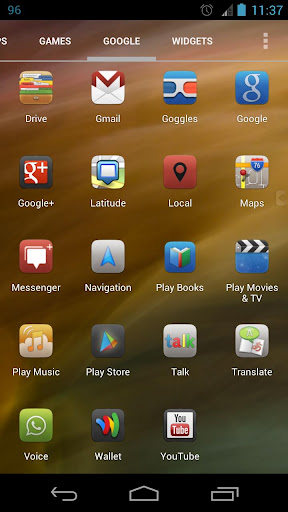
Overview: This is a port of the most well know miui icon pack – Suave HD. Now you can apply the Suave HD icons to your apps in Nova launcher, as well as Apex launcher, Go launcher and ADW launcher.

This image has been resized. Click this bar to view the full image. The original image is sized 680x332px.
== FEATURES ==
* More than 1500 icons.
* Works with Nova Launcher, Apex Launcher, Go Launcher, ADW Launcher and others.
* Works on Jelly Bean devices too.
* Wallpaper included.
== INSTRUCTIONS ==
To apply the theme -
* Apex Launcher: Go to Apex settings > Theme settings
* Nova Launcher: Go to Nova Settings > Look and feel > Icon Theme
* Go LauncherEX: On the home screen, press MENU > Themes > Installed
* ADW Launcher: On the home screen, press MENU > More > ADWSettings > Themes Preferences > Select your theme
* Choose the Icons Pack from the list and apply it.
To individually change any app’s icon -
* Nova/Apex: Long press that app icon > Edit > tap the icon > Icon Pack. Select the theme from the list and from there, you can select any icon.
* Go LauncherEX: Long press that app icon > Replace > Select theme from the top left corner dropdown > Select any of the icon.
* ADW Launcher: Individual icon selection currently doesn’t work on ADW for this pack.
See the instructions in the video below.
== FIX for Jelly Bean devices ==
If the theme is not working for you somehow, do the following -
* Launch Titanium Backup and scroll down the list of installed apps.
* Tap the downloaded theme app and tap backup. DON’T uninstall anything.
* Tap the theme name again and restore the same backup that you had just created.
More Info:
Code:

MNML Black Theme Go/Nova/Apex v2.2

MNML Black Theme Go/Nova/Apex v2.2
Requirements: 2.0 and up
Overview: ::> this theme features <::

This image has been resized. Click this bar to view the full image. The original image is sized 680x332px.

[break]
:: includes 840+ beautiful icons to pick and choose from
:: over 2500+ icons themed
:: supports go launcher : apex launcher : nova launcher
:: include beautiful full go theme.
:: long time support, responsive themer
:: will add more features as I learn:D
:: downloadclock by fashionon :: http://tinyw.in/9ziL
:: apex and nova users, use launcher settings to make appdrawer transparent :D
:: this is my new icon set, my goal was to create something a simple, elegant minimal icon set that was also dark.
:: install go launcher
:: go to home screen :: press menu button :: click on themes :: choose MNML Black :: apply
:: install on nova launcher
:: go to nova settings :: click on “look and feel” :: click on “icon theme” :: choose “MNML Black”.
:: install on apex launcher
:: go to apex settings :: click on “theme settings” :: click on “MNML Black” :: make sure “icon pack” “skin” and “Wallpaper” ared checked :: apply
:: install on atom launcher
:: go to home screen :: touch and hold a clear spot on the launcher :: wait till a blue box pops up :: press theme settings :: scroll to “MNML Black” :: apply
This app has no advertisements
More Info:
Code:

Next Launcher Theme SteampunkR v1.0

Next Launcher Theme SteampunkR v1.0
Requirements: 2.2 and up
Overview: We represent your attention theme A«Steampunk redA» for Next launcher!

[break]
Please visit my website to see more my themes for (TSF Shell launcher) and (NEXT launcher):
http://www.tsfshell.com
Attention! This theme works on every version of Android from 2.2 till 4.1 and up. The install process was changed to working on Android 4.1 and up.
*** Installation Instruction of theme***
1) Installing Next launcher as your home launcher.
2) Buy the theme on Google Play- install – open a€“ oк a€“ install a€“ open
3) Use the theme: Мenu a€“ Personality a€“ theme – click icon theme “Steampunk red”.
Watch the instruction in promo video to my theme.
This app has no advertisements
More Info:
Code:

Ubu Theme – UCCW Skins v1.1

Ubu Theme – UCCW Skins v1.1
Requirements: Android 2.2+
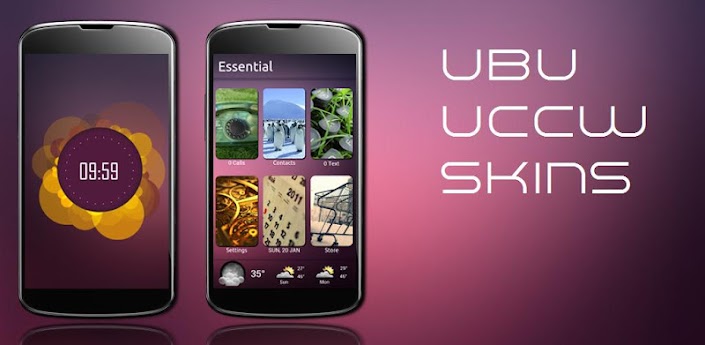
Overview: Are you a fan of Ubuntu OS? Then you must’ve heard that Ubuntu is coming to phones.

This image has been resized. Click this bar to view the full image. The original image is sized 680x332px.
But there’s still a long time before you’ll actually get your hands on it. And even then, it might be very complicated and difficult to setup. Want a quick fix? Here’s a theme that shows how Ubuntu for Android looks. Bring the looks of Ubuntu OS to your Android device using these stunning Ubuntu UCCW Skins.
== FEATURES ==
This Ubuntu theme pack contains 3 sets of skins + a mind blowing clock. The sets are
Favorite. Contains a header skin + 6 app skins – Facebook, Twitter, Game, Maps, News, Files.
Essentials. Contains a header skin + 7 app skins – Calls, Contacts, Text, Settings, Calendar, Play Store, Weather.
Media. Contains a header skin + 6 app skins – Music, Gallery, YouTube, Browser, Camera, Mails.
Plus a superbly beautiful clock.
Assign the apps you want to each of the hotspots. Total of 21 hotspots.
You can change color of the text and hour format of the clock too.
There is an alternate version of Ubuntu theme available here – http://goo.gl/XCcWh
You can use both of these together too.
== THIS UCCW SKIN IS EDITABLE, INCLUDING HOTSPOTS ==
== INSTRUCTIONS ==
To use this skin, you have to install, apply and optionally edit/assign hotspots to the skin.
Install -
This is a skin installer. Launch the app and tap “Install Skin”.
Next screen, tap “OK” for “Replace app?”.
Next screen, tap “Install”. When that finishes, tap “Done”. Skin is now installed.
Apply -
Recommendation – Use Apex or Nova launcher. Grid size 8×6. Horizontal and Vertical margin = None. Dock as overlay and hidden.
You must have Ultimate custom widget (UCCW) 2.1.2 or higher installed. http://goo.gl/eDQjG
Place a UCCW widget of 2×2 size on the homescreen. You can do so by dragging the widget from app drawer or by long pressing homescreen to pull up widget menu.
This will open the skins list. Skins downloaded from play store will show up ONLY HERE.
Tap on the skin you want to apply and it’ll be applied to the widget.
Resize the widget now to 2×3
Repeat the steps to place any number of widgets.
Edit -
After applying the skin as mentioned above, launch UCCW app itself. Tap Menu, tap “hotspot mode” and tap ‘OFF’. UCCW will exit.
Now tap anywhere on the uccw widget. It’ll open in uccw edit window.
Scroll through the components in the bottom half of the screen. Assign apps to hotspots in this window. This IS a MUST.
You can change color, format etc too (optional) in this window.
When done, tap Menu, tap “hotspot mode” and tap ‘ON’. UCCW will exit.
Your changes will now be applied to the widget.
You can watch the steps in video below.
== TIPS / TROUBLESHOOT ==
If the “Install” step fails; go to Android settings > Security and make sure “Unknown sources” is enabled.
Mail me if you have ANY issues.
== TRADEMARKS ==
Ubuntu is registered trademarks of Canonical Ltd.This app is not affiliated with or endorsed by Canonical Ltd
bagarwa
More Info:
Code:
Code:

HTC Sense 5 UCCW v1.1

HTC Sense 5 UCCW v1.1
Requirements: Android 2.2+
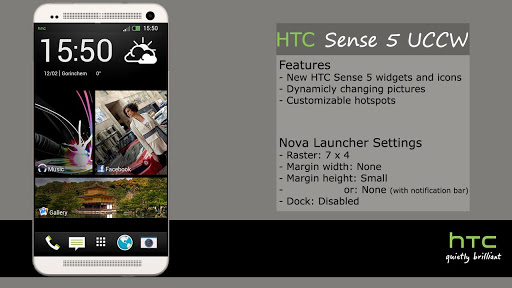
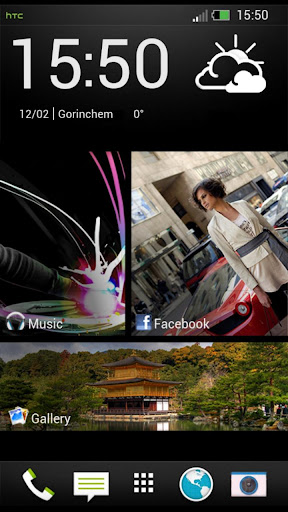
Overview: Inspired by the recently leaked images of HTC’s new phone, get the new HTC Sense 5 look for your phone!

This image has been resized. Click this bar to view the full image. The original image is sized 512x288px.
**Read Instructions and Troubleshooting before mailing**
Features
————–
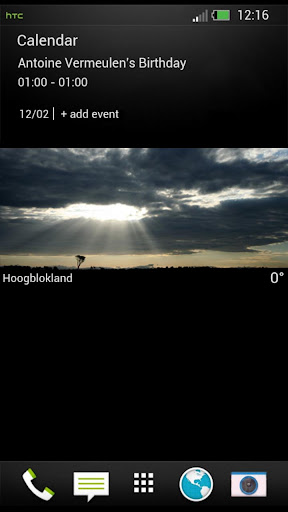
Three pages including the htc dock and status bar.
One page with 3 interactive favorites
One page with an interactive weather image
Optional widgets without notification bar
Installation instructions (or watch video!)
————–
1. Download UCCW and Nova launcher for free from the app store
2. Set Nova grid to 7×4, margin width to none, height to small, disable dock and notifaction bar
3. Add widgets to homescreen*
4. Enable hotspot mode in UCCW and add Weather location in UCCW
*if they don’t appear in the list, read troubleshooting or email me, don’t leave comments I can’t reply to. Thanks
Troubleshooting
————–
If the theme doesn’t show up in the Skin list (JellyBean), do the following:
-Open Titanium backup and backup the skin (without uninstalling it) and restore it
Non-rooted devices do the following:
-(Download) and open Shark AppManager (free)
-Search for the skin, backup and restore
Still doesn’t work? Email me!!
Trademarks
————–
HTC Sense 5 is a trademark of HTC Corp. and isn’t affiliated with this theme.
Note
————–
Theme will be updated according to new features available for UCCW.
Email me for custom hotspots and icons.
What’s new in this version:
- Added alternate widgets without notifcation bar
Set margin height to none when using original notification bar
More Info:
Code:
Code

Mianogen 1.1 for CM9/10/AOKP v1.2

Mianogen 1.1 for CM9/10/AOKP v1.2
Requirements: 4.0 and up
Overview: ★★★ This is DONATED version with more improve :) ★★★

This image has been resized. Click this bar to view the full image. The original image is sized 680x332px.

[break]
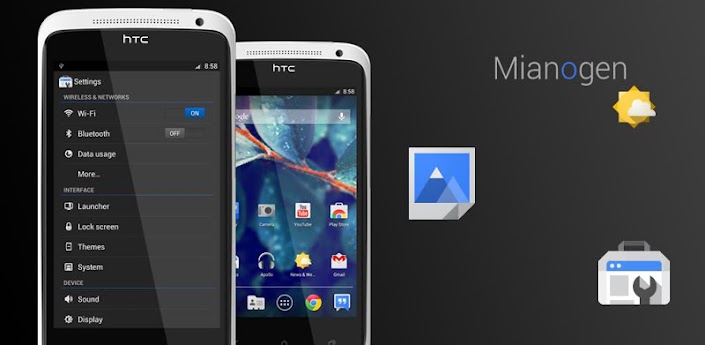
✔This theme works with AOKP/CM9/10/10.1 and it supports [XHDPI/HDPI]
=========
★ HOW TO
✔Once you download the theme, go to Setting/Themes or Theme Manager
✔ Find the Mianogen Theme and hit apply it!
✔ If you get an error message:
✔ Apply the default theme first then reboot and apply the Mianogen theme and reboot again.
=========
★ ABOUT
✔ This theme fully works with XHDPI and work with HDPI!
✔ What you’ll get with this A¿ ؟ ﹖
New Google JFK’s icons and some new icon made by me with JFK style !
✔ Overall new Classy UI
Clean and simple look
✔ New system icons to avoid boring
✔ New Navbar icon
✔ New Statusbar Notification
✔ New Switch graphic and toggles
✔ New Default Wallpaper
✔ New Camera UI – more smooth
✔ Small package change a lot of you phone !
✔ Themed apps as user request ~!
And many more you’ll find it yourself…!
What’s in this version:
✔ 1.2 Update :
✰ Reduce checkbox size
✰ New improved battery icons
✰ Align Data Connection icons
✰ Fixed Statusbar images
✰ New On/Off Switch graphic , more Flat !
✰ Removed unwated Graphic that make GMail little un-readable
✰ Cleaner Radio Button
✰ New File Manager, Gallery icon
✰ You will get more icons for launchers by another APK :)
This app has no advertisements
More Info:
Code:

Twitter Delicious Facebook Digg Stumbleupon Favorites More