Sunday, 17 February 2013

Free AndSod SMS v1.2 apk

AndSod SMS v1.2
Requirements: Android 2.1+
Overview: AndSod SMS was developed to use the SMS function of your smartphone professionally.
With AndSod SMS , e.g. lawyers or doctors, you can send short but sensitive information, without compromising the professional secrecy
You are looking for an SMS program that allows you to send sensitive, secret SMS?
AndSod SMS can help you!!!
AndSod SMS was developed to use the SMS function of your smartphone professionally.
With AndSod SMS , e.g. lawyers or doctors, you can send short but sensitive information, without compromising the professional secrecy
AndSod SMS the business smartphone solution for the SMS area and abstain aware of no unnecessary visual stimuli as in Fun smartphones occurs, eg iPhone.
AndSod SMS is designed straightforward and self-explanatory and is to use without further of everyone, in both official and private.
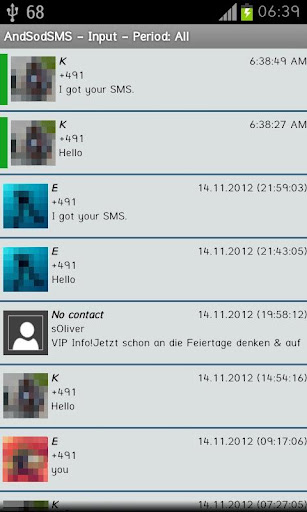
With AndSod SMS you can store sensitive SMS in their own protected areas and protect those still with a password.
Thus, only you have access to your sensitive SMS, even if you leave your phone inadvertently times on the table.
And if you want to send an SMS with highly sensitive content, then you have the possibility to encode the SMS additionally and transmit the SMS in an encoded format.
The receiver will get a generated key from you to decrypt the text and with the free program CRAndSod the receiver can decrypt the SMS without AndSod SMS.
Before purchasing AndSod SMS you have the opportunity to test AndSod SMS 30 days.
To do this, please download the trial version of AndSod SMS.
In addition AndSod SMS offers a lot of additional
Features of AndSod SMS:
- Folder and thread view
- Send and receive encrypted SMS with its own 128-bit key
- Save the SMS in a secure area (SecureBox) with a 128 bit encryption
- Creating several SMS profiles with encryption an password safty
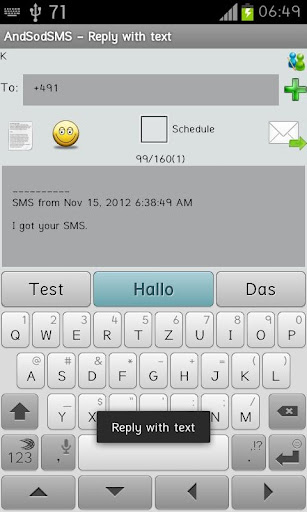
- Quick access to emoticons (smiley) and templates
- Automatically send birthday SMS based on the contacts
- Delayed sending of SMS
- Auto SMS function: app can automatically reply to SMS (Caution. This can occur additional fees, because of the sending an extra SMS!)
- Auto SMS can be used also for missed calls.
- Forwarding of incoming SMS to any mobile phone number.
- Backup and restore all settings and SMS
- Create SMS templates
- Import and export of template texts (including Windows texts)
- Password protection on app start, for the templates, for the security area
- Various settings, such as Design (font sizes, colors, etc.), for the birthday SMS, the SMS sending and receiving (notifications, signature, etc.), encryption, security
- Possibility to display the stored pictures of your contacts
We would be glad about suggestions and update wishes and will implement as far as possible.
Short e-mail is enough.
This app has NO advertisements
Free AndSod SMS v1.2 apk

Free Solar System Explorer v2.5.2 apk


Solar System Explorer v2.5.2
Requirements: Android 2.1 and up
Overview: Take an interactive 3D trip through the solar system with Solar System Explorer
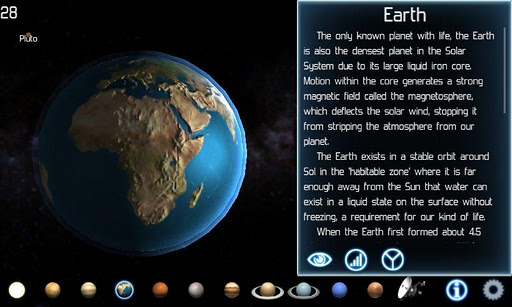
Solar System Explorer will take you on an interactive 3D trip through our solar system. Featuring more than 35 planets, moons, asteroids and the spacecraft that have visited them, you’ll have a chance to see a different side of our little corner of the galaxy!
This full edition delivers all the planets and major moons of our Solar System in glorious HD with extra effects and a special tablet mode, so it will look great on all devices, large or small.
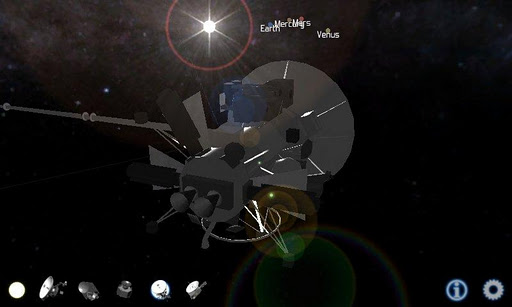
Solar System Explorer also features detailed models of past present and future robotic explorers, such as Cassini which is currently half way through a 20 year mission to study the Saturnian system.
Surface images of the planets have been re-constructed from photos taken by telescopes or NASA spacecraft. Because few probes have been to the outer solar system, a number of moons have only been photographed from one side, so the missing details have been estimated based on what is visible.
Orbital positions and speeds have been adjusted to make it easier to navigate the Solar System and see the planetary motion at human speeds.
Interesting facts about each of the places you visit in the solar system, and the spacecraft you see are available at the touch of a button.
Statistics are calculated relative to the Earth where ever possible because for most people, big numbers mean little.
There may only officially be eight planets now, but because Pluto is larger than 200KM in radius, it is included for your viewing pleasure.
* Please report problems at apps.burlock.org or email at apps@burlock.org. I can’t help you here because Google won’t let developers contact users who make comments.
* This app supports ICS, but custom ROMs are not supported. If you install a non-standard ROM and have a problem, then contact the ROM developer and report the bug so they can fix it.
Robotic spacecraft: NASA Voyager, Dawn, Juno, Cassini
Planets, moons and asteroids:
Sol/The Sun
Venus
Earth: Luna/the Moon
Mars: Deimos, Phobos
Asteroids: Ceres, Vesta
Jupiter: Callisto, Europa, Ganymede, Io
Saturn: Mimas, Tethys, Enceladus, Dione, Rhea, Titan, Iapetus
Uranus: Miranda, Umbriel, Ariel, Oberon, Titania
Neptue: Triton, Proteus
Pluto: Charon
What’s in this version : (Updated : Feb 15, 2013)
Planet size chart
UI improvements
Bug fixes
This app has no advertisements
Free Solar System Explorer v2.5.2 apk
 

Free Solar System Explorer v2.5.2 apk


Solar System Explorer v2.5.2
Requirements: Android 2.1 and up
Overview: Take an interactive 3D trip through the solar system with Solar System Explorer
Solar System Explorer will take you on an interactive 3D trip through our solar system. Featuring more than 35 planets, moons, asteroids and the spacecraft that have visited them, you’ll have a chance to see a different side of our little corner of the galaxy!
This full edition delivers all the planets and major moons of our Solar System in glorious HD with extra effects and a special tablet mode, so it will look great on all devices, large or small.
Solar System Explorer also features detailed models of past present and future robotic explorers, such as Cassini which is currently half way through a 20 year mission to study the Saturnian system.
Surface images of the planets have been re-constructed from photos taken by telescopes or NASA spacecraft. Because few probes have been to the outer solar system, a number of moons have only been photographed from one side, so the missing details have been estimated based on what is visible.
Orbital positions and speeds have been adjusted to make it easier to navigate the Solar System and see the planetary motion at human speeds.
Interesting facts about each of the places you visit in the solar system, and the spacecraft you see are available at the touch of a button.
Statistics are calculated relative to the Earth where ever possible because for most people, big numbers mean little.
There may only officially be eight planets now, but because Pluto is larger than 200KM in radius, it is included for your viewing pleasure.
* Please report problems at apps.burlock.org or email at apps@burlock.org. I can’t help you here because Google won’t let developers contact users who make comments.
* This app supports ICS, but custom ROMs are not supported. If you install a non-standard ROM and have a problem, then contact the ROM developer and report the bug so they can fix it.
Robotic spacecraft: NASA Voyager, Dawn, Juno, Cassini
Planets, moons and asteroids:
Sol/The Sun
Venus
Earth: Luna/the Moon
Mars: Deimos, Phobos
Asteroids: Ceres, Vesta
Jupiter: Callisto, Europa, Ganymede, Io
Saturn: Mimas, Tethys, Enceladus, Dione, Rhea, Titan, Iapetus
Uranus: Miranda, Umbriel, Ariel, Oberon, Titania
Neptue: Triton, Proteus
Pluto: Charon
What’s in this version : (Updated : Feb 15, 2013)
Planet size chart
UI improvements
Bug fixes
This app has no advertisements
Free Solar System Explorer v2.5.2 apk

Weather Pro Local Forecast Radar v2.0.4


Weather Pro Local Forecast Radar v2.0.4
Requirements: 2.2 and up
Overview: 1Weather is the most loved weather app on Google Play.
At 4.4 stars, no weather app has a higher rating among users. And reviewers have heaped on the praise as well.
Why do they love it? In a word – Design. The app has a simple, yet beautiful interface that makes getting the weather elegant and fun. This UI, combined with a powerful set of weather tools, makes this app #1.
When it comes to weather apps, you have lots of choices, so why not choose the best? Download 1Weather and judge for yourself.
REVIEW HIGHLIGHTS:
“The Most Attractive, Feature-Packed Android Weather App We’ve Ever Seen” – Lifehacker
“The most beautiful weather app we’ve ever seen” – Android Police
“A Game Changing, Gorgeous Weather App” – Android Static
FEATURES:
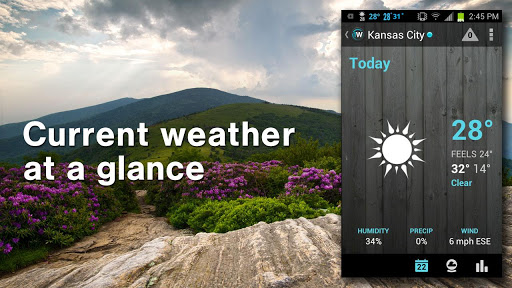
· Real-time local weather and forecasts for virtually any location around the world (Current + 48-hour)
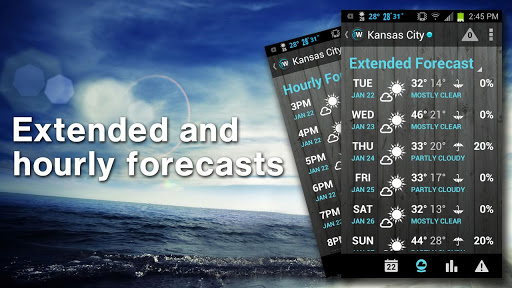
· 7-day extended forecast and precipitation info
· Hourly forecast and precipitation info
· Follow my location – Updated weather when you are on the move
· LIVE animated radar and extreme weather warnings (US and Canada only) with layers
. Added Enhanced Cloud Layer for International locations on Radar Screen
· Air quality and UV charts
· Nearby weather-related tweets
· Animated sunrise, sunset, moonrise, moonset and Lunar stage
· Save multiple locations to access quickly and easily
· Gorgeous widgets (3) you can add to your home screen
· Share weather information with friends and family via email, text, Twitter, Facebook, etc.
· Customize with multiple weather theme backgrounds
What’s in this version:
+ Bug fixes
This app has no advertisements
Free Weather Pro Local Forecast Radar v2.0.4 apk

Free CameraPro (CameraX) 2.0 v2.41 apk


CameraPro (CameraX) 2.0 v2.41
Requirements: 2.2 and up
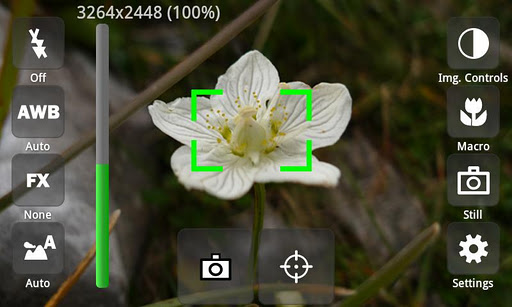
Overview: CameraPro (previously known as “CameraX”) offers fast access to your mobile’s camera capturing and video recording features. It is highly customizable including different designs and menu arrangements. Pictures can be directly uploaded from CameraPro to Facebook, Flickr, Picasa, and Twitter.
CameraPro (previously known as “CameraX”) offers fast access to your mobile’s camera capturing and video recording features. It is highly customizable including different designs and menu arrangements. Pictures can be directly uploaded from CameraPro to Facebook, Flickr, Picasa, and Twitter.
CameraPro on Facebook: http://www.facebook.com/CameraProApp
Problems, questions, feature requests, feedback? Drop me a line on office@tequnique.com or use the contact form on http://s.meh.at/camerapro
The following list gives an overview over the features. PLEASE NOTE that features marked with “*” vary between different phone models!
Camera Modes:
- Still (normal mode)
- Video / expert video mode (HD video greater than 720x480p is in Beta and works only on some phone models)
- Self-timer
- Time-lapse: record time-lapse picture series (Android 3.0+: record time-lapse videos too)
- Burst: shoot a set of pictures as fast as the phone supports
- Bracketing: take up to 10(!) different exposed images (can be used for HDR stitching with other apps)
- Anti-shake: take pictures exactly in the moment when the phone is not moving
Picture contols:
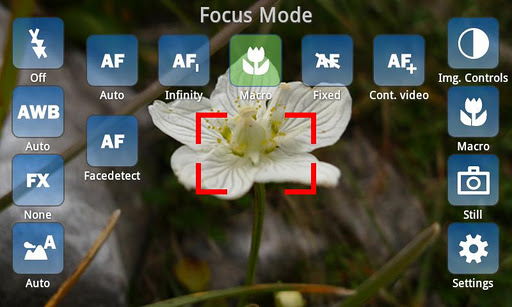
- Focus (autofocus, macro, infinity, continuous autofocus, face detection,…)*
- White balance*
- Flash (including videolight)*
- Effects (such as mono, negative, solarize, aqua,…)*
- Scene modes (night, landscape, portrait, beach, snow, fireworks, sports, party, candlelight, text,…)*
- Image controls (exposure compensation, brightness, contrast, sharpness, saturation)*
- ISO*
- Metering mode*
- Antibanding*
Overlays
- Grid (customizable)
- Level meter/virtual horizon with indicator*
- Compass*
- Touch focus (Android 4+)*
- Zooming*
Expert video mode (excerpt)
- Automatic bypassing of recording time respectively file size limit by means of file splitting (short gap possible between files)
- Disable audio recording
- Adjust audio channels, sampling rate, audio/video bitrates, frame rates, audio/video codecs, video container format, video dimensions*
- Supports 1080p video recording (e.g. Galaxy S2)*
Settings (excerpt)
- Use volume keys, hardware shutter, trackball, and touch buttons for capturing and focusing*
- Set CameraPro as default camera app*
- Disable shutter sound
- Fullscreen viewfinder*
- Back/front camera (front camera does not support video recording yet)*
- Image compression quality
- Different arbitrary storage locations for video and photos including customizable filenames
IMPORTANT LIMITATIONS
- For video resolutions greater than 720×480 set focus mode to “Continuous” if available. Else recording might start delayed (app looks as if it hangs for some seconds on the Samsung Galaxy S2)
- Zooming and picture controls can only be modified BEFORE video recording
- Changing from continuous autofocus to some other focus mode can be very slow
- Sometimes the direct HD video preview in the video player (started from CameraPro) shows only a black screen. When the player is started manually the video play back is fine.
- If updating from CameraX fails, uninstall CameraX before installing CameraPro.
- Video recording on some HTC devices and on all devices with Android 2.2 and older is only partly supported
HTC/Distorted Pictures:
- Some still picure resolutions on some HTC devices are distored (e.g. 16:9 resolutions). Enable the “HTC fix” under settings to fix.
LG/Viewfinder orientation:
- On some devices the viewfinder orientation is wrong (e.g. LG P500). Enable “Orientation fix” under settings to fix.
What’s in this version:
2.4.1
- Fixed viewfinder problems (e.g. on Google Nexus 4)
*** If you find bugs or have feature requests drop us a line under http://www.tequnique.com/contact before posting a review ***
This app has NO advertisements
Free CameraPro (CameraX) 2.0 v2.41 apk

Free Minimalistic Text (donate) v3.0.4 apk

Minimalistic Text (donate) v3.0.4
Requirements: Android v2.2+
Overview: Minimalistic Text is a widget app that displays information in a minimalistic way.
It can be configured to display time, date, battery and weather information. The layout of the widget is highly customizable through the layout editor.
Minimalistic Text is a widget app that displays information in a minimalistic way.
It can be configured to display time, date, battery and weather information. The layout of the widget is highly customizable through the layout editor.
Minimalistic Text is heavily inspired by BattStat and Clockr but adds extreme flexibility.
Supported languages:
* English
* Danish
* German
* Greek
* Dutch
* Polish
* Norwegian
* French
* Croatian
* Serbian
* Czech
* Spanish
* Estonian
* Italian
* Portuguese
* Hungarian
* Russian
* Swedish
* Simplified Chinese
* Traditional Chinese
* Slovak
* Afrikaans
* Slovenian
Explanations for the permission requests:
** android.permission.VIBRATE **
used in the layout editor to give feedback that an item has been dragged
** android.permission.ACCESS_COARSE_LOCATION **
used by the weather service to get your coarse location and retrieve the weather for it
** android.permission.ACCESS_NETWORK_STATE **
needed to determine if the weather data can be fetched
** android.permission.INTERNET **
needed to actually retrieve the weather data and to get the name of the location you are
** android.permission.RECEIVE_BOOT_COMPLETED **
needed to be able to wait until the phone booted before initializing
** android.permission.WRITE_EXTERNAL_STORAGE **
to gain access to your SD card and save the preferences to it
** android.permission.GET_TASKS **
used to determine if the home screen is currently active. This is used by the automatic rendering option
** android.permission.CHANGE_COMPONENT_ENABLED_STATE **
To enable / disable widget sizes
** android.permission.ACCESS_WIFI_STATE **
To support WiFi variables
** android.permission.READ_CALENDAR **
To support calendar events
** com.android.vending.BILLING **
To support In-App donation
>>Donate App<<
If you have the donate/pro app installed then you will get early access to new features and the ads will be removed.
To get the donate/pro app search for “Minimalistic Text (donate)” in the market or at android pit.
If you have any problems, write me an email!
APP2SD (especially hacks) is a very very bad idea for a widget. It has a reason that Minimalistic Text doesn’t offer this feature! The home screen get’s loaded before the SD card is mounted. Keep this in mind!
Please don’t use the comments for feature requests or bugs. You can write me an email (develmil@googlemail.com). (Of course you still can rate lower due to bugs or missing features)
Tasker integration:
1) add a Locale variable to your layout and set the variable name (click it)
2) in Tasker select Plugins -> Minimalistic Text for an action
3) Click “Edit”, a new activity starts f000h
4) enter the name of the variable and the text that should be displayed for this variable (you can use Tasker variables)
done
Keywords
minimal, minimalistic, text, battery, weather, date, style, home screen, widget
Wiki: wiki.devmil.de
Recent changes:
!! WARNING !!
Before installing the 3.x update please backup all your Minimalistic Text widgets! (“Save” menu item)
Some launchers have problems with the removal of the “MT next” entry and remove all Minimalistic Text widgets.
3.0.4
- Fixed horizontal scrolling for older devices
- Fixed some crashes (deleting rows for example)
- Fixed ad size
3.0
- Complete new widget settings menu
- Added translations
- Fixed some bugs when loading/saving settings
Visit Website
Less description »
Note: Not need key file. all donate features available.
This app has no advertisements
Free Minimalistic Text (donate) v3.0.4 apk

Free Infinite Design v2.0.1 apk

Infinite Design v2.0.1
Requirements: 2.1 and up
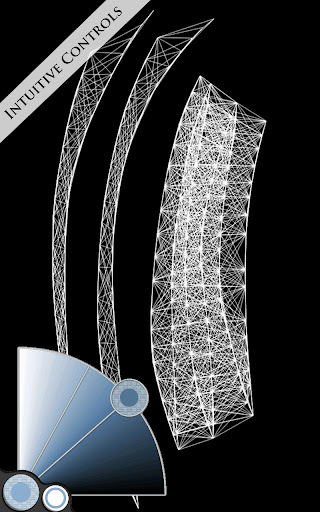
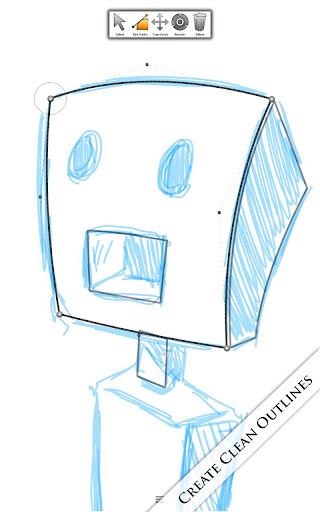
Overview: Take your creative passion to a whole new world. This app seeks to put the power back in your hands, allowing you to create complex and beautiful designs effortlessly.
It offers a variety of different brushes. It has five different types of symmetries you can use (X-Axis, Y-Axis, Arbitrary Angle, Radial, and Kaleidoscopic). It utilizes a smart menu system and a fluid interface, seeking to make work flow on the go much easier. Since all the paths created are vector-based graphics, you can zoom in, zoom out, or pan over infinitely thus making your phone a window to an entire world for your imagination to run free. Those who are fond of Photoshop will find comfort in the Layers system which allows you to work on different aspects of a project with out messing with other ones. The eraser also has a built in softness function that allows you to define which paths can be erased and which ones cannot be. The various special paint attributes consist of four types of blurring, embossing or inner/outer shadowing. The auto save feature allows for peace of mind, allowing you to freely leave the app. It will save the project for you and load it on your return. This is one design app that should not be taken lightly. I hope you enjoy.
Key Features:
-Infinite canvas (pan, zoom, or rotate)
-Infinite layers and unique layer options: Split, Merge, Flip, Duplicate, and the ability to apply a perspective transformation to a layer.
-Carefully designed brushes to ensure optimal workflow on the go.
-Five types of symmetry: X-Axis, Y-Axis, Arbitrary Angle, Radial, and Kaleidoscopic.
-Infinite undo/redo system.
-A relative menu system.
-Import images.
-Special Effects include four types of blurring, inner or outer shadowing, and embossing.
-A fluid interface designed for fluidity and fully optimized for touchscreen devices.
-Path editing and a standard Pen Tool.
-Save as JPEG or PNG (with background or without background).
-Export to SVG for editing in your favorite graphics editor. Tested and works in Adobe Illustrator and Inkscape.
-Export image to Infinite Painter.
-Import SVG documents for viewing or editing.
What’s in this version:
v2.0
-New Project Manager
-Redesigned Layers Bar
-New Menu System
-Added Grids
-Improved SVG importing
-New Help Center
-Redesigned Style Manager and Styles (now includes both fill and stroke)
-Added Swatch-support
-Fixed major glitches where design was breaking randomly
-New file format to handle extremely large projects
-Lasso Select Tool
-Multiple object selection
-New edit options
-5 new tools (Shape Warper, Shape Sprayer, Shape Roller, Line Pen, and Smart Pen)
This app has no advertisements
Free Infinite Design v2.0.1 apk

Free iLauncher v2.3.0 apk

iLauncher v2.3.0
Requirements: 2.1 and up
Overview: This is an iPhone style home screen launcher.
FEATURES
- SUPER SMOOTH SCROLLING, just like iPhone.
- Icons have rounded corners and gloss effects.
- Long touch icons to move them around and position them as you like.
- Dock-bar
- Easily uninstall apps from your home screen.
- Press the back button to exit edit mode.
- Can change each application’s name and icon by touching the app shortly in jiggle mode
- Spotlight Search
- Support 5 rows mode, just like iPhone 5
- Folders
- Shortcuts
- Support tablets (iPad mode)
- Changable logo
- Support live wallpapers
What’s in this version:
v2.3.0
- Support iLocker
- Fixed a bug that customized icon and title didn’t be saved
- Improved icon location saving engine
- Fixed a bug that modified folder’s title didn’t be displayed properly
- iPad mode can be enabled on smaller devices
- Slightly increased restarting speed
This app has no advertisements
Free iLauncher v2.3.0 apk

Free ROM Manager Premium v5.5.2.3 apk

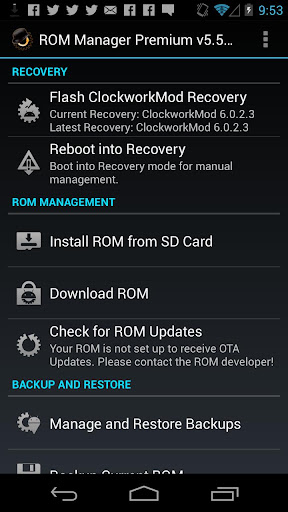
ROM Manager Premium v5.5.2.3
Requirements: Android 1.0 and up
Overview: Must have app for any root user. Make backups, flash ROMs, and own your device.
ROM Manager is THE MUST HAVE APP for any Android root user. (Over 3 million downloads and counting!)
* Flash your recovery to the latest and greatest ClockworkMod recovery.
* Manage your ROMs via a handy UI.
* Organize and perform backups and restores from within Android!
* Install ROMs from your SD card.
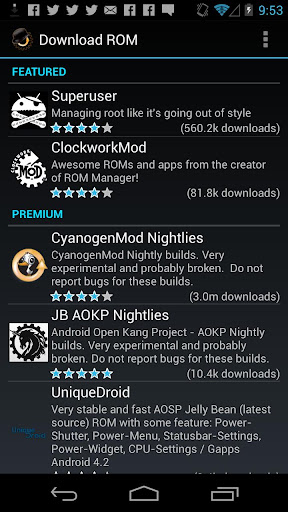
* Install your favorite ROMs over the air!
Premium Version:
* Premium ROMs
* Receive notifications for when your ROM is updated!
* Automatic backups
* Install from QR Code
* Web Connect
* Support
What’s in this version:
5.5.2.3 Delta download bug fixes.
5.5.2.2 Revamp comments service. All users can comment and rate.
5.5.2.1 Can now view all backups, internal and external, in the restore/manage list
5.5.2.0 ROM Manager now support TWRP
5.5.1.8 Delta downloads
5.5.1.8 Fix crash
5.5.1.4 External SD card support is fixed on devices running Android 4.0+ and CWM 6+.
5.5.0.8 Download Backups to your PC using the new ROM Manager Backup Download Server feature!
This app has no advertisements
If your ROM came with ROM Manager you’ll have to remove it before installing this.
Free ROM Manager Premium v5.5.2.3 apk
 

Free FPse for android v0.11.85 apk


FPse for android v0.11.85
Requirements: 2.1 and up, Rooted
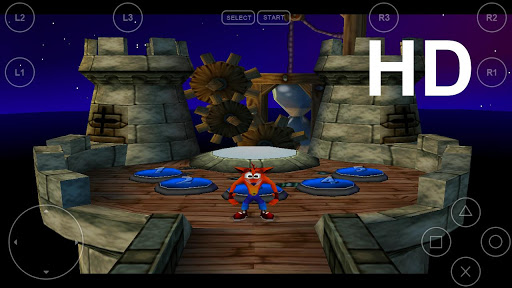
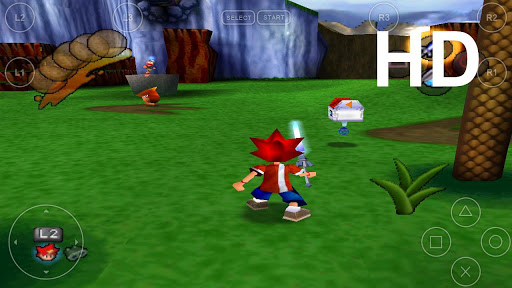
Overview: FPse for Android is the fastest and most compatible PSone emulator for handheld devices.(also known as PSX or Playstation 1)
More than 200.000 active users and rated up to 4,5 stars on google play!
FPse is able to render PSone games in high resolution by using OpenGL which gives outstanding graphics!
Take a look to the Official Documentation to understand requirements and how it works:
http://www.fpsece.net/faq.html
Create an ISO image from your favorite games and enjoy playing them on your Android phone.
FPse features the following:
-High performance
-High compatibility
-High sound quality
-Real-time save states
-Audio track emulation (using .cue files)
-Force-feedback
-Dynamically loadable Overlay Pads
-Guncon emulation
-Analog Stick emulation
-Compatible with G-Sensor, Touchscreen and Hardware keys
-Supports .img, .iso, .bin, .cue, .nrg , .mdf and .Z disc image formats
-Full Support for IcontrolPAD, BGP100,Zeemote (via Bluez IME)
-OpenGL support via external plugin!
A few tips to improve your gameplay experience:
-in Landscape orientation DPAD and Main 4 buttons are activated, if you want to activate all others, go in menu/input/touchscreen and select others buttons.
-Create a default configuration by setting your desired options and then selecting “Default Config Save” in the System Menu.
-CALL, BACK, VOLUME UP/DOWN buttons can be assigned as PSone buttons but can be used is not assigned.
-Guncon emulation requires the A and B buttons to be mapped to Hardware keys. By default: L3 = A and R3 = B.
-SPUSync is required for proper sound quality in certain games such as MGS and FFVII.
-Frameskip set to 50 will avoid sound stuttering on load end device or with somes games that use much CPU.
What’s in this version:
此版本中的新功能:
FPse 0.11.85 Changes:
- Fixed Moga controller support with Old Software mode On
- Fixed Frameskip problem which happened on somes devices
- Fixed critical bug that caused crashes after loading games
Important information:
Since 2 month FPse include a graphical menu very usefull where covers games are drawed into a grid.
If you want to switch to new menu just go to Misc menu then choose reset settings and when restarting fpse choose EASY menu.
Access usefull options by long press over Icons.
This app has no advertisements
1. Install Google Play Installer
2. Run “Installer cracked GooglePlay” and press “Install and Reboot”.
3. Enable Internet.
4. Install FPse for android
5. Run
Free FPse for android v0.11.85 apk

Twitter Delicious Facebook Digg Stumbleupon Favorites More