Monday, 11 February 2013

tinyCam Monitor PRO v4.3.2


tinyCam Monitor PRO v4.3.2
Requirements: Android 1.6 and up
Overview: Mobile surveillance from any IP cameras for Android phones, tablets, Google TV.
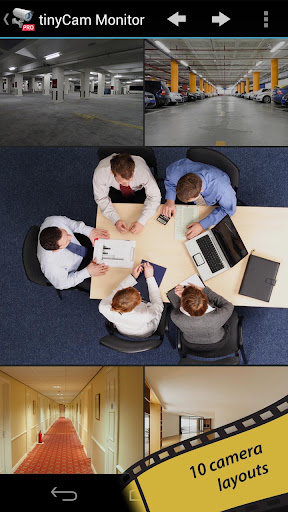
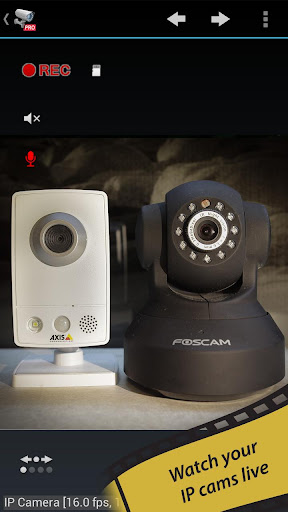
One of the best app available for Android for remote surveillance, control and video recording for your private/public network or IP cameras, video encoders and DVRs with CCTV cams (#1 rated surveillance app, 4.6 average rating with 10,000+ active users).
Monitor your baby, pet, home, business, traffic, and weather remotely and securely (no data being sent to 3rd parties). tinyCam Monitor provides best value to customers. Buy now to get more features in future updates for free! More than 25 major updates per year with new features!
Listed as a featured app on Google TV in Android Market. View your security cams right from the sofa!
Features:
Very intuitive custom made interface. See the screenshots to appreciate the quality of the app.
Support for M-JPEG based devices of all major vendors (100+)
1-way audio (listening) for D-Link, Edimax, Gadspot, SONY, Sharx Security, LogiLink, TRENDnet, Y-cam (selective models)
2-way audio (talking and listening) for Axis, FOSCAM, Loftek, Tenvis, Wansview, INSTAR, and more on the way!
SSL support (https) for secured monitoring and encrypting credentials
10 different layouts with unlimited number of cameras support
Control pan-tilt-zoom (PTZ) enabled devices, i.e. Panasonic, Pixord, Vivotek
Relay, LED control for some models
Cyclic 24/7 video recording (sequence of JPEG images) on SD card. Video playback is under development.
Easy to use pinch to zoom for digital zooming and swipes for camera selection
Sequence mode for automatic cameras switching
Import/export settings to SD card or Dropbox service
Support for any USB/laptop cams through 3d party software for PC/Mac (see FAQ)
Native interface for Honeycomb tablets and Google TV
Very CPU efficient
Still not amazed? How about these UNIQUE Features :
The only app in the market which supports ON CAMERA MOTION DETECTION (selective models). Make automatic snapshots or play alert sound on motion!
LAN SCANNER for automatic cams detection. Have a camera IP address suddenly changed? It takes only couple minutes to fully rescan your home network
Audio real-time processing (SQUELCH) for using it as a baby monitor
What’s in this version:
Version 4.3.1:
- Added Ducki and Wanscam JW0002/JW0004
- Added support for FOSCAM FI9821W cameras. Upgrade your firmware to 1.1.1.10 first and select “Switch to MJPEG” in the app in Admin section! 2-w audio coming soon.
- Support for FOSCAM FI8916W with 2-w audio
This app has no advertisements
Free tinyCam Monitor PRO v4.3.2 apk

Speed Launcher Pro Lock screen v4.1 Buid 20003


Speed Launcher Pro Lock screen v4.1 Buid 20003
Requirements: android 2.1 and up
Overview: Beauty, Style and Speed for you!Custom lock screen that give you style!
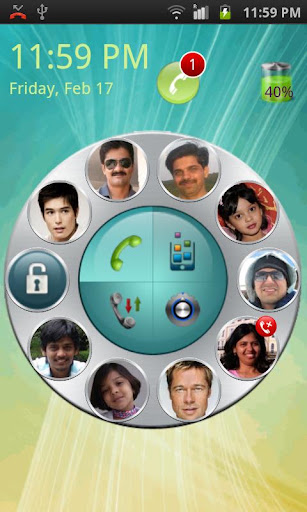
Speed Launcher Pro replaces your default lock screen with customizable screen. It gives you ability to call/text your frequent contacts, launch favorite applications and manage your phone settings with just simple swipe.
Blog: http://speed-launcher.blogspot.com/
+ Beautiful rotatory dial for contact/apps/settings & call-log
+ Call/text your friends from lock screen
+ Launch your favorite apps from lock screen
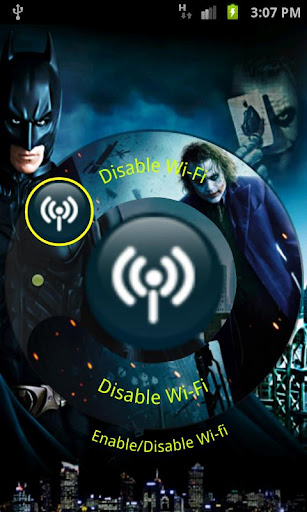
+ Enable/disable android settings. E.g. Enable/Disable WiFi/Bluetooth/Sound etc.
+ Unread messages and missed call log to quickly take an action on
+ Unlock your phone with a stylish swipe
+ Missed call and Unread message count notification. Launch missed call/message log for quick reading
+ Intuitive and consistent interface to interact with application.
+ Date, time & battery percentage displayed on lock screen
We hope you enjoy Beauty, Style and Speed of our app! Please provide review for our app and share it with friends.
What’s in this version:
Version 4.1 Launched
+ Updated battery images
+ Background image can be configured by users
+ Better integration for lock screen to show up
Version 4.0 Launched
+ New Beautiful themes
+ Facility to set Apps on main screen
+ More customization options
+ Performance optimization
+ Resolved minor issues
This app has NO advertisements
Free Speed Launcher Pro Lock screen v4.1 apk

RD3 HD Groovebox v1.6.0


RD3 HD Groovebox v1.6.0
Requirements: 2.1+ Screen resolution 800×480 (WVGA) or higher and 800 MHz CPU or faster supporting ARMv7
Overview: Use your Android phone or tablet as a musical instrument and make your own electronic music tracks!
Recreate the sound of early electronic dance music with the RD3 HD – Groovebox that recalls two 303-style analog synthesizers, a drum machine plus reverb, distortion, phaser, filter and delay audio effects!
Developed in Berlin, RD3 HD – Groovebox is a pioneering audio app that lets you program your own grooves. This multi-touch enabled app makes it simple to invent unique loops and manipulate them with resonant filters and effects on the go.
Appropriate both for experienced musicians and novices.
Use it for live performances in landscape mode on phones and 7-inch tablets or use the additional special rack view on 10-inch tablets in portrait mode.
RD3 HD is optimized for Android 2.3 (Gingerbread), 3.X (Honeycomb) and Android 4 (Ice Cream Sandwich).
Loops you’ve created and exported with the Groovebox can also be automatically integrated into mikrosonic’s audio mixer app SPC – Music Sketchpad.
Features:
Channel mixer/sequencer:
Volume control with level meter
4 bars with 16 steps per instrument
3 play modes: Solo, loop or random
Channel mute
Two virtual analog synthesizers:
4 types of waveforms for each synth
Reminiscent of the legendary 303 synthesizer
High-quality or regular filter modes
Real-time step sequencer for each synth
Free assignable audio effects
Drum machine with:
10 drum kits: 808, 909, 606, CR-78, Linn, KR55, RX11, RZ1, DMX, DPM48
Channel mute
Punch control for volume and envelope adjustments
Accent programmable for each drum channel
Free assignable effects for each drum sound
Real-time step sequencer
Audio effects:
Reverb, distortion, filter, phaser and delay
Real-time controllable
X/Y control field for each effect
4 effect sends
Chaining of 2 effects
Technical features:
Special rack view in portrait mode for 10-inch tablets
Multi-touch control
Live session recording
Audio loop export feature
SoundCloud Sharing Kit integration
Session save capability
Cut/copy/paste pattern
OpenSL support
App2SD
System Requirements:
- Android 2.3 or higher
- Screen resolution 800×480 (WVGA) or higher
- 800 MHz CPU or faster supporting ARMv7
What’s in this version :
- GUI enhancements for 7 inch tablets
- Support for low latency compliant devices (e.g. Galaxy Nexus, Nexus 4, Nexus 10) running Android 4.2
- Loop Export bug under Android 4.2 fixed
- App doesn’t close anymore when switching to lock screen
- Time delay for bluetooth added to assure undisturbed audio transmission
- GUI performance enhancements
This app has no advertisements
Free RD3 HD Groovebox v1.6.0 apk

Voice PRO v2.7.2


Voice PRO v2.7.2
Requirements: 2.2+
Overview: Voice PRO, infinitely better than you have ever!
The most complete, the best “Audio Editing for Android”
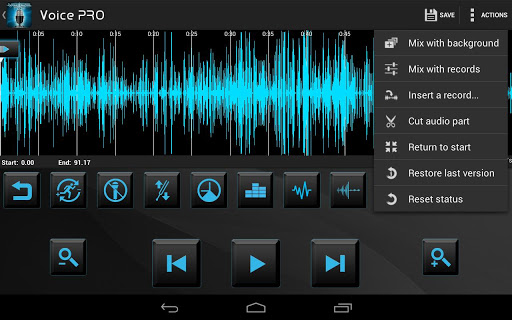
By adopting this application you will soon realise its potentiality and multiple functions which will allow you to make practically all you need and want to do with your records. Like edit, cut, adjust, eliminate disturbances and noises and insert background.
It will add audio effects, change tempo and volume, unit or mix record of any format or quality.
★ Record can be converted in texts in more than 50 languages
★ Share on Facebook, Twitter and Voice PRO Cloud
★ Receive Bluetooth files directly into Record list
★ Convert YouTube video to audio file
FEATURES:
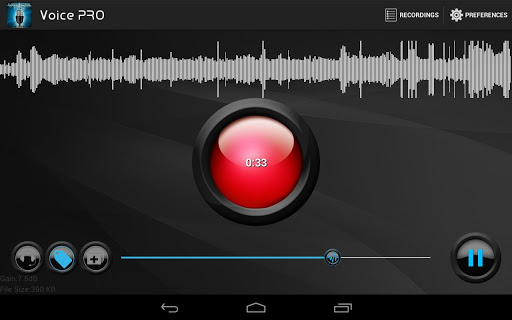
1)The Voice Recorder makes it possible to:
☆ Record in formats as WAVE-MP3-OGG
☆ Insert in real-time a background using any file already present in your device. You can also download –free of charge– new ones from a library on line.
☆ Insert tag to help you select, during the playback, the most interesting parts of your records.
☆ Use the Earphone to control the effect of the background during recording.
☆ Record in background and at the same time utilise the device for other services.
2) Record list allows to :
☆ Visualize records info such as length, sample rate, dimensions, channels.
☆ Operate the playback both with internal and external player.
☆ Restore the records and complete them.
☆ Mix or merge any record in all formats.
☆ Handle the preferred ones , share them, add notes and tag and research the files.
☆ Convert in many formats (mp3, wav, flac, ogg)
☆ Remove vocals, Handle the GAIN, the TIME, the RUMORS, and the REVERB – an example of the remarkable possibilities of applicable effects.
☆ Convert records in texts. “VOICE-PRO” is the only existing application in all the world’s markets allowing you to convert your records of any length in “Texts”, giving you therefore the possibility to listen to them with an internal “Vocal synthesiser” and save them in Audio Format . In other words you actually synthesize your own voice.
☆ Encrypt and decrypt your records and protect them with Password at 128 bytes*
3 The EDITOR makes possible to:
☆ Mix with other records or background.
☆ Cut off parts of records and save them in new files or new formats either musical, sonic or Identifying-sounds.
☆ Restore a record from backup.
“VOICE-PRO” in its great versatility can even extend – against payment – to some functions such as :
- Perform other format of export/import audio (8svx,aif,aifc,amb,snd, dvms,prc)
- Mixing more than two files.
- Call recording.
- Voice to texts.
- Encrypting of files in AES with key at 128 bytes.
★ Additional features
- Home screen widget
- Mp3 bitrate change up to 320kbps
- Samplerate up to 48000 HZ
- Encoding at 8 and 16 bytes
- Registering in format MONO & STEREO
- Autogain to reduce noises during recording
- Pause in registering at incoming calls.
- Internal help for each function
- Control of icons, notifying and privacy
- Files backup
- Installation on SD CARD
- Request new effects or lyrics
“Voice Pro” is totally compatible with the majority of systems presently existing on the market. In addition we are glad to confirm that we are ready to supply to our clients a 24 HRS assistance with an average “Success-time” of 40 minutes.
What’s in this version:
NEW
* Record single call using the home screen widget
* Choose the prefered start screen from UI option
* Markers manager with long press in the editor
* Fade in/out effect
* Battery monitor
* Add tag from record list player
FIX
* White text for GAIN and FILE SIZE in main screen
* Corrupt file on editor save
* Update license
This app has NO advertisements
1. Install Google Play Installer
2. Run “Installer cracked GooglePlay” and press “Install and Reboot”.
3. Enable Internet.
4. Install Voice PRO
5. Run
Free Voice PRO v2.7.2 apk

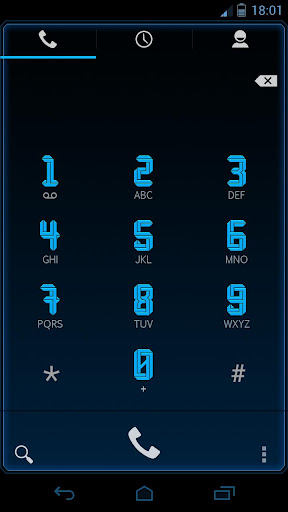
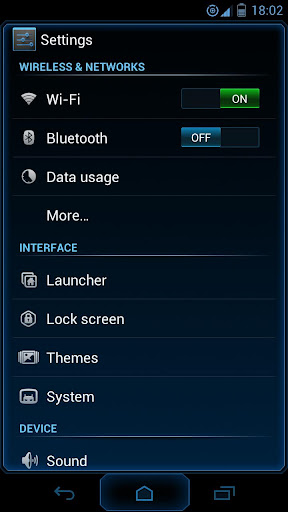
Ingress Theme for CM9/10 v1.3


Ingress Theme for CM9/10 v1.3
Requirements: 4.0 and up
Overview: ***READ BEFORE YOU DOWNLOAD***
“For anyone that having problems with apply the theme or getting errors apply the default theme first then reboot and apply the Ingress theme”
“This theme works Great on XHDPI devices and it also works with HDPI but it some tweaks for the HDPI so if you find any bugs on HDPI report them to my email”
——————————————–
This time i designed another unique theme in my collection with really nice Futuristic experience and colors that will blow you away (the colors look really outstanding in SAMOLED screens). The name of the theme is Ingress and it has some inspiration from the game but it mostly inspired from
Avengers Alliance game on facebook.
I really hope you all enjoy the theme and feel the new futuristic experience 
What’s in this version:
Changelog: 15/12/2012
Full Andorid 4.2 (CM10.1) Compatibility
Full HDPI Compatibility
Reduced Apk Size
improved ParanoidAndroid Compatibility
Improved Settings
Themed keyboard
This app has NO advertisements
Free Ingress Theme for CM9/10 v1.3 apk

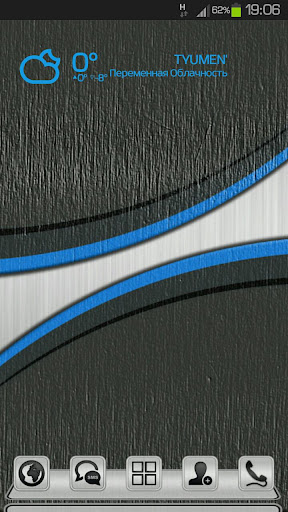
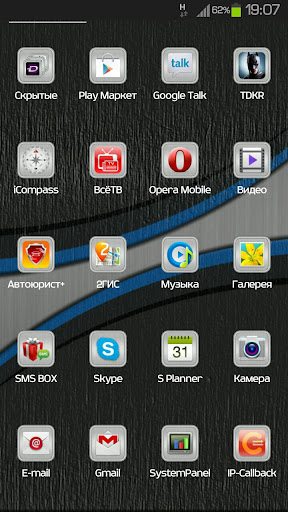
Next Launcher Theme BrushMetal v1.0


Next Launcher Theme BrushMetal v1.0
Requirements: 2.2 and up
Overview: Theme BrushMetal Next Launcher
I am pleased to present you the new theme for the Next Launcher
Great HD quality icons.
Replace everything application icons
Background icons superimposed on the outside of the icons, thus creating the effect of glare on the icon
*** Important tips:
After purchase, be sure to click to open a theme (theme is ask yourself reinstall click Yes, install), or theme does not appear in the list of themes. This is necessary due to the new defense Android 4.1.
1. Make sure that the latest version V1.15 of Next Launcher has been installed! (Look for the “Next Launcher” into Google Play to download)
2. Apply the theme: menu-> Indicidual-> Installed Themes-> Choose BrushMetal theme.
This app has no advertisements
Free Next Launcher Theme BrushMetal v1.0 apk

Convertor Pro v4.2


Convertor Pro v4.2
Requirements: for all Android versions, supports App2SD
Overview: All the units you need to convert for work, wrapped in the best user interface around, as easy and intuitive to use as a calculator. It’s unit conversion done right!
· Converts as you type (no “Convert” button to press)
· Use mixed units, like feet+inches
· Freely mix fractions (like ½) with decimals (like 0.5)
· Switch units by swipe, long-press, or menu
· Calculator with clipboard-based memory
· Currency conversions
· Supports tablets
· Over 400 units in 25 categories:
Acceleration
Angle, Plane
Area
Digital Bandwidth
Currency
Data Storage
Density
Energy & Work
Force
Flow Rate
Frequency
Fuel Economy
Length & Distance
Moment of Inertia
Power
Pressure
Radioactive Decay
Shoe Sizes
Speed
Speed & Velocity
SI Prefixes
Temperature
Time Span
Torque
Weight & Mass
Volume
What’s in this version:
* Add minim to Volume units
* Add send-log functionality to About screen (Android 4.1+)
* Add the current state to the description of the Calculator settings item
* Improve support for chained calculation operations, such as a+b+c
* Fix conversion error in Volume unit Drop
* Tweak font sizes on phones running Android 4.0+
This app has no advertisements
Free Convertor Pro v4.2 apk

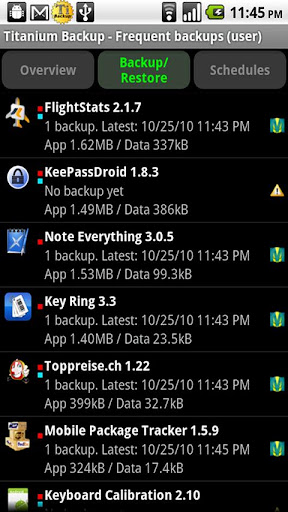
Titanium Backup Pro v6.0.2.1 Full


Titanium Backup Pro v6.0.2.1 Full
Requirements: 1.5+, Google Play Store v3.10.10 patched
Overview: EXTREMELY powerful tool. Backup ALL apps, Market links, remove bloatware & MORE!
EXTREMELY powerful tool. Backup ALL apps, Market links, remove bloatware & MORE!
☆Needs ROOT, Android 1.5-4.2+ (ARM,x86,MIPS)
☆Over 7 million users, 29+ languages.
☆PRO Key is available on Play Store!
☆Voted #1 TOP ROOT APP on Twitter.
☆Problem? See titaniumtrack.com/kb
☆Scroll down for more info & DEMO VIDEOS 
☆ ☆ ☆
Titanium Backup is the most powerful backup tool on Android, and then some.
You can backup, restore, freeze (with Pro) your apps + data + Market links. This includes all protected apps & system apps, plus external data on your SD card. You can do 0-click batch & scheduled backups. Backups will operate without closing any apps (with Pro). You can move any app (or app data) to/from the SD card. You can browse any app’s data and even query the Market to see detailed information about the app.
Also see the paid PRO key which adds EVEN MORE awesome features such as:
[✔] 0-click batch restores
[✔] Keep multiple backups per app
[✔] Backup/restore SMS,MMS,calls,bookmarks,Wi-Fi AP as XML
[✔] Multi-user app data
[✔] Apps freezer
[✔] Sync to/from Dropbox (manual/scheduled)
[✔] Sync to/from Box (manual/scheduled)
[✔] Sync to/from Google Drive (manual/scheduled)
[✔] Convert user apps <=> system apps
[✔] Integrate system app updates into ROM
[✔] Encryption
[✔] Market Doctor (relink apps to Market)
[✔] “Destroy all Market links” feature
[✔] Hypershell speed
[✔] Backup apps without closing them!
[✔] Create your own update.zip containing apps+data!
[✔] Restore individual apps+data from non-root ADB backups!
[✔] Restore individual apps+data from CWM backups!
[✔] Restore individual apps+data from TWRP backups!
[✔] Market “auto updating” manager
[✔] Dalvik cache cleaner
[✔] Integrate Dalvik cache system elements into ROM
[✔] Unlimited schedules
[✔] Load/Save a Filter and use it in Widgets/Schedules
[✔] Change the device’s Android ID, restore it from a backup or after a factory reset
[✔] Protect backup against deletion
[✔] Send backup (to e-mail/cloud) and import it in 1 click
[✔] Backup→Verify→Un-install an app in one shot
[✔] Freeze/defrost/launch apps in a single click
[✔] CSV export any app DB (e-mail or Google Docs)
[✔] Convert app data to/from fast WAL format
[✔] WAY MORE!
Check out this in-depth review of TB PRO:
http://youtube.com/watch?v=vuvDTS9RDrM&hd=1
And check out the new TB PRO demo video:
http://youtube.com/watch?v=YU33zabluSY&hd=1
More info on permissions:
• “Internet” is used to access Market,Dropbox,ChangeLog.
• “Accounts” is used to access Market.
Some advice:
• We recommend to avoid “modified” TB versions because they can cause various problems down the road.
What’s in this version:
• Added the ability to create custom labels directly from the “Assign labels” dialog.
• Fixed failure with XML bookmark backup/restore with Chrome as stock browser (eg: Nexus 7).
• Several UI tweaks.
• Updated translations.
Instructions:
1. Install GooglePlay.Installer.apk
2. Run “Installer cracked GooglePlay” and press “Install and Reboot”.
3. Enable Internet.
4. Install Titanium Backup Pro Key.apk
5. Install Titanium Backup.apk
6. Run Titanium Backup. Done.
Work only with Google Play Store v3.10.10 Patched
This app has no advertisements
Free Titanium Backup Pro v6.0.2.1 apk
 

Send It Pro v1.6.1 downoad


Send It Pro v1.6.1
Requirements: Android 2.3+
Overview:Send It is an application that allows you to send ANY file to ANY smartphone (iPhone, WP7 etc..)
NOW WITH SKYDRIVE AND BOX SUPPORT!!! ( DROPBOX IS COMING  )
If you have a Google, Hotmail, Live, Outlook or Box account, you can now send ANY FILE to ANY SMARTPHONE – All you need is the persons phone number – That’s it.
This is how it works:
1 – You press the SHARE button in ANY app for ANYthing (File, Url etc..)
2 – You choose the recipient from your contact list
3 – You press send. That’s it. (You can also add a brief message if you wish)
Send It takes your file, uploads it to the cloud, and sends the recipient an SMS with a link to the file.
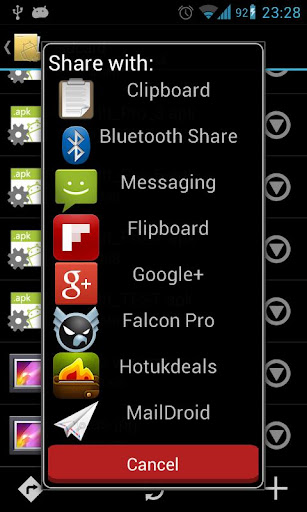
You can also send the link directly to your clipboard (or other apps in Pro) so you can share the file via Twitter, Facebook, Google+ etc..
THIS IS THE MOST SEAMLESS SHARING EXPERIENCE ON ANDROID – TRY IT OUT AND SEE FOR YOURSELF
PRO ONLY FEATURES:
- Unlimited file size upload (Free is limited to 10mb)
- Multi contact select – send one file to multiple recipients at once
- Share files with other apps
- Send via other methods (Google Voice etc..)
Feature requests are welcome and feedback is MUCH appreciated. Enjoy.
Note: On some phones Google Drive links give random files names such as 0sfgdf5g1sd23f15sdfsd.jpeg
#################################################
PLEASE DO NOT LEAVE NEGATIVE FEEDBACK IF IT DOES NOT WORK FOR YOU – EMAIL ME, TWEET ME (@iam_robj) OR COMMENT ON THE XDA THREAD
#################################################
SECURITY:
Send It can only access the files it uploads to your Google Drive. Anything else you have on there it CANNOT see or access (Stated clearly when it asks for your permission)
What’s in this version :
Version 1.6.1
- Added Google Voice support (Beta)
- Added button to clear notifications
- Lots of minor UI improvements
- Minor bug fixes
This app has NO advertisements
Free Send It Pro v1.6.1 apk

LagFix (fstrim) Premium apk v1.5 download


Twitter Delicious Facebook Digg Stumbleupon Favorites More