Sunday, 10 February 2013

PlayerPro Music Player v2.62


PlayerPro Music Player v2.62
Requirements: 2.0 and up
Overview: PlayerPro: skins, artist/album information and art, grid/list views, lyrics …
PlayerPro is an advanced music player for Android 2.x devices.
Key features:
* Browse and play your music by albums, artists, genres, songs, playlists, folders, and album artists.
* Video browser and player.
* Automatically downloads missing album artwork, artist pictures and genre illustrations.
* Manually pick your preferred album artwork, artist pictures, genre illustrations from the Internet, the Gallery app, ID3 tags, or album folder.
* Change the user interface of the Player by installing one of the 14 available SKINS, all for free.
* Customize the layout, chosing between GRID or LIST views.
* Read album and artist REVIEWS.
* Download, search and and save LYRICS to your music files using standard ID3 tags.
* Single and group TAG EDITING: title, album, artist, track, year, genre, comment. Formats supported: mp3, ogg, flac, wma, wav, m4a, mp4.
* Mixable AUDIO EFFECTS for Android >2.3 devices: 5 band graphic EQUALIZER with default/customizable presets (edit, rename, delete), STEREO WIDENING effect (virtualizer), REVERB effects (large hall, medium hall, plate, small room, medium room, large room), BASS BOOST effect, volume control.
* Free additional DSP PLUGIN for Android <=2.2 or >=2.3 devices: 10 band graphic EQUALIZER with 15 default/customizable presets, PRE-AMP control, BASS BOOST control, volume control. Go to Settings > Audio and select “Download DSP pack” option to install the free plugin.
* Dolby and SRS sound effects for HTC devices equipped with HTC sound enhancement (HTC desire HD, etc).
* Music stats and SMART PLAYLISTs: RATINGs, play/skip counts, last played, last added.
* Import and export music history and ratings from your favorite desktop music player: Songbird, Winamp, Wmp, MediaMonkey, Music files.
* Music folder selection.
* Choice of 2 LOCK SCREEN widgets with many customization options: unlock slider, sound toggler, skip tracks using volume buttons, swipe gestures …
* Choice of 5 different home screen WIDGETs (4×1, 2×2, 3×3, 4×4, 4×2).
* Supported SCROBBLERs: Simple Last.fm, Scrobble Droid, Official Last.fm app.
* SLEEP TIMER with fade out.
* SHARE text notifications, album/artist artwork on your favorite social networks: Twitter, Facebook, Gmail, Picassa etc.
* HEADSET support. Customize long press and double/triple press actions.
* Library wide SEARCH. VOICE search support.
* SWIPE gestures (player: swipe album art to skip songs, browsers: swipe left to play next, swipe right to play last).
* SHAKE IT feature: give your phone a shake to play next/previous song (e.g.: shake top to bottom or bottom to top to play next/previous song).
* Create playlist SHORTCUTS.
* APP2SD support.
… and many other features to discover !
What’s in this version:
>> 10 feb: patch update
>> 03 feb: new release
- New website with FAQ
- Home screen widgets enhancements: resizable+lockscreen widgets (Jelly Bean), adjust background transparency, widgets previews, Widget Pack v 2.7
- Rewind control in notification status
- New shuffle algorithm + navigation backward/forward memorized
- Added Settings and “Save/Clear now playing” to player screen
- Added Share, and “Use as ringtone” options everywhere
- New “Pause when phone is turned upside down” feature
Free PlayerPro Music Player v2.62 apk

Photo Mate Professional v10.3


Photo Mate Professional v10.3
Requirements: Android 4.0+
Overview: Photo Mate Professional is your first choice when it comes to viewing and editing (raw-)images on your tablet or smartphone!
Photo Mate is also available as a Basic Version without editing features.
To see which version fits your needs, please check out http://www.photo-mate.com/versions
Browse files on your device, usb-attached storage or even on your network!
Not only images, but also video-thumbnails are supported, to help you finding the right file quickly.
Optional: Real Raw-Data decoding with the Raw Decoding Extension (Preferences -> Extensions)
View images of various formats, including most raw-formats, in very high quality.
(To check if your camera-format works with Photo Mate, please try out the free demo version)
Display all exif information like Aperture, Exposure, ISO from your JPG’s as well as from some supported Raw-Formats.
Mark over- and under-exposured areas in your images, also while editing your images! You can even display an histogram to get the overall brightness of your image.
Import images from your usb-connected camera.
Resize or rotate images very quickly. You can easily share them directly from Photo Mate.
Edit xmp-settings with live-preview. Save your changes in Adobe-compatible xmp-sidefiles or create a new jpg with the rendered settings and all exif-information (up to 8 MP!)
Present your images to friends or clients by using the nice-looking slideshow option.
Convert single or multiple images very easily with the Batch-Convert capabilities. This also allows you to apply xmp-settings to all your files in a bunch.
Take a look at a map where you can see at which locations you took your images!
Calibrate your display to get a better quality or to see how an image looks printed.
Use your images as a wallpaper with the Photo Mate Live-wallpaper features!
What features do you get?
* Viewing images (including raw and psd images) in high quality
* Editing images with xmp-sidefiles support
* Batch-Converting + Renaming and applying editing on a bunch of images
* File explorer with support for video thumbnails and multi-select
* Support for image ratings and filtering (with support for XMP)
* Support for XMP-Keywording
* Import images from your usb-connected camera
* Histogram-View to check the tones + lightness of your image
* Possibility to mark over- and under-exposured areas
* Frequent updates with new features
* Free direct support to the developer if you have problems
Current supported File Formats:
jpg: Full Resolution + Exif
png: Full Resolution
ico: Full Resolution
psd: Depending on Filesize Full Resolution (max Size ~20MB) or thumbnail
tiff: Depending on Filesize Full Resolution or no image (Must be enabled)
cr2 (Canon Raw): Full Resolution + Exif
nef (Nikon Raw): Different Resolutions + Exif
arw (Sony Raw): Full Resolution + Exif
rw2 (Panasonic Raw): approx. 2 MP
orf (Olympus Raw): approx. 2 MP + Exif
dng (Digital Negativ, Raw Format): Depending on “inner” file type + Exif
pef (Pentax Raw): approx. 1 MP
3fr (Hasselblad Raw): thumbnail + Exif
raf (Fuji Raw): Different Resolutions
mrw (Minolta Raw): Approx. 0.3 MP
x3f (Sigma Raw): Approx. 4 MP
erf (Epson Raw): Approx. 0.3 MP + Exif
More formats and higher resolutions with (optional) Raw-Decoder extension
What’s in this version:
Find out more about the latest version:
http://www.photo-mate.com/whatsnew/10.3
* Faster Raw-Decoding
* Faster gallery
* New Editing feature: Sharpness
* Improved Batch-Converting
* Optional Screen Sharing (Needs Multi-Cast Permission)
* Optional, actual raw-decoding
* Improved noise-reduction
This app has no advertisements
Free Photo Mate Professional v10.3 apk

Screen maker nice screenshot v1.5.3


Screen maker nice screenshot v1.5.3
Requirements: 2.1 and up
Overview: Screen maker – inventive screenshot
You do not need Photoshop or Gimp anymore and you do not have to work with layers.
Just take a screenshot of your application and put this into the Screen maker.
It will do the best screenshot of your application, ready to post on your website or blog.
In short, this application allows to connect 2 images: screenshot and smartphone image, the result is image ready to post on website or blog.
Screen maker supports 8 kinds of resolutions:
240×320, 320×480, 480×800, 480×854, 540×960, 720×1280, 768×1280, 800×1280
and landscape mode.
After finished work, you can see your image or share it.
What’s in this version:
1.5.3
- HTC Wildfire S
This app has no advertisements
Free Screen maker nice screenshot v1.5.3 apk

BreezeHD for CM9/CM10.1 v1.3


BreezeHD for CM9/CM10.1 v1.3
Requirements: 4.0+
Overview: This time i made a new theme with really great design and new features!
What you’ll get once you download and apply the theme?
Well here are some of the great features of this theme:
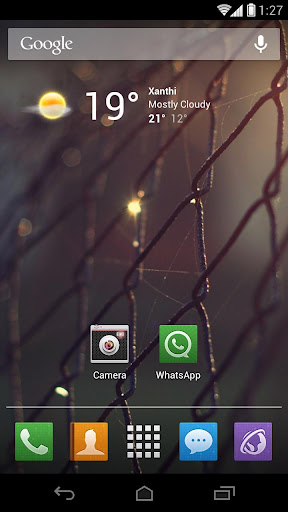
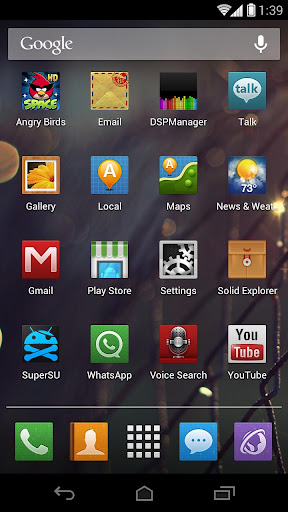
New Whatsapp Theme (You will REALLY like it!)
New News & Weather Theme + New Widget
New keyboard Design
New Clean and Elegant look Softkeys
New Statusbar Notification Design
New Default Wallpaper (It’s the same as the screenshots)
New Cmera User Interface
New Transparent Power Widget
New Design for the Dialer, Settings and the whole SystemUI
Over 70+ New Icons Designed from Scratch!
Small Apk Size With a Lot of Images
and many more…
***READ BEFORE YOU DOWNLOAD***
“For anyone that having problems with apply the theme or getting errors apply the default theme first then reboot and apply the flow theme”
What’s in this version:
Changelog: 15/12/2012
New Statusbar Icons
Full HDPI Compatibility
Full Android 4.2(CM10.1) Compatibility
Greatly Reduced the Apk Size
Improved Popups
Fixed Some Minor Keyboard Issues
This app has no advertisements
Free BreezeHD for CM9/CM10.1 v1.3 apk

Sliding Messaging Pro v4.20


Sliding Messaging Pro v4.20
Requirements: 4.0+
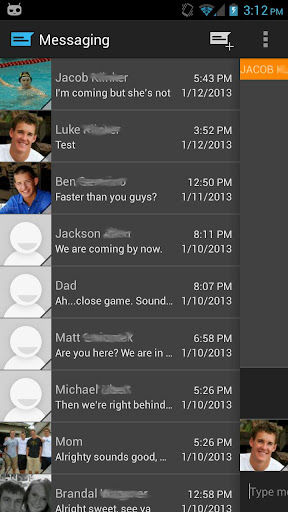
Overview: Easily manage text messages in a new and up to date format compliant with the Android design guidelines and visually based on the stock messaging app from Google, with added features.
Features:
- Easily switch between conversations by dragging out the sliding menu on the left side of the screen.
- Start a new conversation by sliding out the menu on the right side of the screen
- Manage old messages with a single click
- Choose between light and dark themes
- Emoji support (Only if you phone supports them, many do not such as Touchwiz phones)
- Adjust text size and control notifications and theme though settings
- Quick reply popup
- Multi-window support for Galaxy Note
- Light Flow support (will be active once Light Flow has been updated)
Please note: As of now, this is just a basic messaging app with a great layout and simple features. Currently, MMS is not supported, but it may be added in the future along with other feature requests, please sound off in the comments of what you would like to see in future versions!
If you are having problems receiving notifications, you may need to uninstall 3rd party messengers such as Go SMS.
When using this app, do not disable the stock messaging app as I use it to permanently save messages to the phone. You can however, disable notifications for it so that you don’t receive 2 of them.
What’s in this version:
- Added back 24hr timestamp option
- Option to display current conversations contact picture on the Action Bar
- Minor UI changes
- Massive settings overhaul, most commonly used will be right at your fingertips and less supported/least commonly used are hidden away but all still available
- More bug fixes
This app has NO advertisements
Free Sliding Messaging Pro v4.20 apk

Battery Indicator Pro v7.0.6


Battery Indicator Pro v7.0.6
Requirements: 2.1 and up
Overview: Battery Indicator Pro shows your battery charge level (percent) as an icon in your status bar, with temperature, health, voltage, and time since plugged / unplugged in the notification area. Now has an alarm feature.
Features:
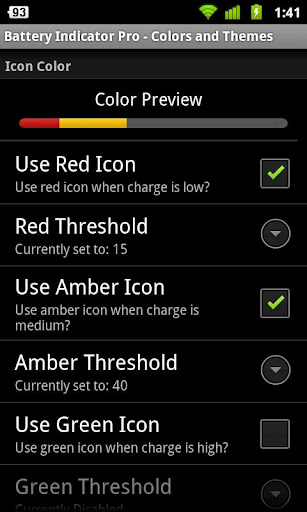
• Fully configurable green, amber, red, and black icons
• Estimated charge / discharge time left
• Battery logging. You can log the battery state (charge, status, voltage, temperature) and browse the logs on the phone or export to CSV.
• Manually or automatically disable / reenable device lock screen / lockscreen / keyguard
• Alarms (full, charge above X, charge below X, temperature above X, or health failure)
• Themes for main window
• Lots of configurability; most features are optional
• Very lightweight (please email me if you think otherwise, and I’ll help you figure out what’s wrong — I promise this app will not drain your battery.)
• Open source
Limitations:
• Motorola Droids and Samsung Moment only show every 10%
• It’s not possible to replace the built-in battery icon
* Please see the project website (linked to below) to contact me if you have any questions or problems — I can’t respond to comments left here. *
What’s in this version:
• Efficiency improvements to Motorola one-percent mode.
• Made Service less likely to be killed, which should result in increased accuracy and performance, especially on devices with a task killer.
This app has no advertisements
Free Battery Indicator Pro v7.0.6 apk

SkyORB v1.8.1


SkyORB v1.8.1
Requirements: Android 2.2+
Overview: Now available for Nexus 7 tablet and optimized for Tegra 3
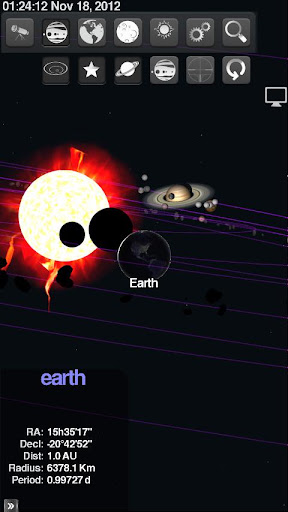
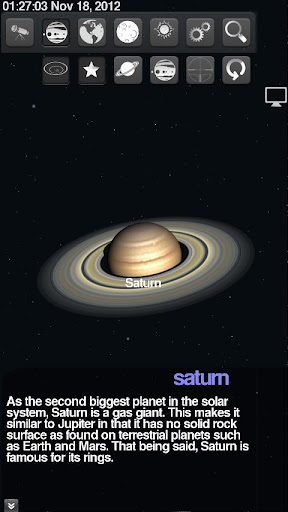
SkyORB is more than a simple star map, it’s a collection of 6 tools including a 3D star map, 3D planetarium, ephemeris, search engine, sun clock and more. Now available for Android including Android 3.0+ support. Click “…More” to learn why you should download this App today!
GET INSTRUCTIONS, VIDEOS, FACEBOOK COMMUNITY USERS AT http://www.realtech-vr.com/skyorb/
“SkyORB is fantastic for anyone interested in the night skies, but it’s not just a star-gazer’s handbook.“
- iPad.net
★★★★
“This is a fantastic app and it’s even better the fact that it is free, this is a great app for stargazers or just those that would like to know a bit more about space. “
- Butler1790
★★★★★
SkyORB features a 3D interface, with OpenGL ES 2.0 support, High DPI display and multiple resolutions support, a search engine, a large catalog of stars (Hyparcos), deep objects (NGC/IC 2000) planets, current satellite (including current space shuttle missions) (MPC) and let you choose see the actual sky from any point on Earth.
SkyORB allows you to fine tune your observation location (and orientation with digital compass if available) with automatic detection from GPS (or entering the longitude, latitude and altitude). Information like sunset and sunrise are computed as well as moonrise and moonset and full / new moon dates.
The sky map is drawn with realtime precession. You can rotate freely and in realtime in 360 degrees at 60 frames per second. Moon and other planets are rendered in real 3D objects with different level of details using state of the art 3D effects for Android 2.2 and superior.
This program offers:
• A 3D planetarium with photorealistic rendering,
• Sophisticated OpenGL ES 2.0 support
• A sky view with realtime precessing,
• Moon phases,
• Epheremis (day/night rise times)
• Weather from current location.
• Universal search engine,
• MPC updater (comets, satellites, launch mission, ISS).
• GPS or user location,
• Compass support, pressure sensor support,
• Star finder: Point the device and reveal the star or planet.
• Optimized for phones and tablets.
What’s in this version:
We are always improving the app so its easier and better to use: You will notice in this update:
✓ Added slider in space view allowing to zoom out up to 50 psecs from the sun. Display nearest stars in 3D
✓ Fixed MPC parsing
This app has no advertisements
Instructions:
Install the APK
Copy ‘com.realtechvr.skyorb’ folder to ‘/sdcard/Android/obb’ folder
Launch the Game
Free SkyORB v1.8.1 apk

ASTRO File Manager / Browser Pro v4.2.463


ASTRO File Manager / Browser Pro v4.2.463
Requirements: Varies with device
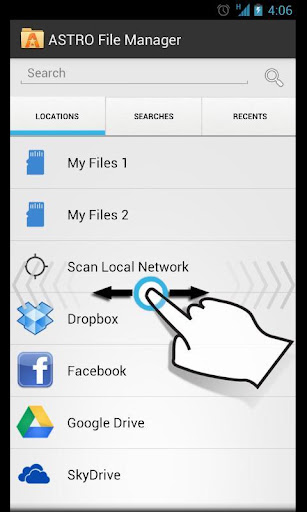
Overview: ASTRO File Manager has over 13 million downloads on the Android Market and allows you to easily manage all of your files on your phone or tablet. Pictures, music, documents, videos… ASTRO is in most Top Ten Android App lists and has been recommended in books like Amazing Android Apps. DOWNLOAD NOW and join the ASTRO family.
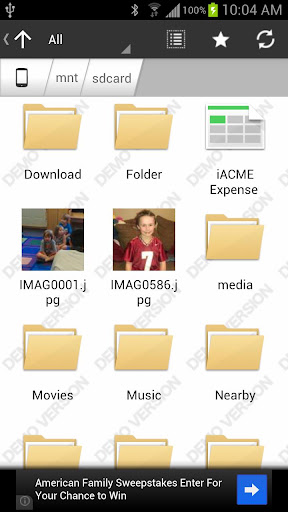
Features include: file management, file and/or app backup, Image and text viewers, networking, MSB, Bluetooth, SFTP, Zip Tar, downloader, thumbnails, search files, application manager, task manager, attachments and more…
Please visit our website for a Quick Start Guide, FAQ’s and Documentation. http://www.metago.net/astro-users.php. Get In-App Support by clicking Menu in ASTRO, then More and Help.
The ad free version, ASTRO File Mng Pro is available on the left (see More from developer)
ASTRO currently supports 9 languages including: English, French, Spanish, Italian, German, Japanese, Korean, Traditional Chinese and Simplified Chinese.
What’s in this version:
Box integration.
View Settings allows you to change size of icons.
Fixed:
ASTRO NO LONGER RUNS IN BACKGROUND
Shortcut (the Star) Creation & Deletion works
Search & Advanced Search
** Click “My Files” for file management (copy/move/delete/etc) **
* NEW: Facebook Photo support
* NEW: New Picture Gallery
* NEW: Image Viewer enhancements including rotate picture
* SkyDrive, Google Drive, Dropbox support
This app has NO advertisements
Free ASTRO File Manager / Browser Pro v4.2.463 apk

InstaWeather PRO apk v1.0.1 download


InstaWeather PRO v1.0.1
Requirements: 2.1+
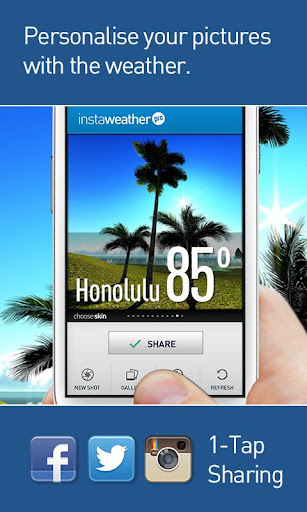
Overview: Escaping for the weekend and your friends are staying home? Make them suffer with a beach photo and weather conditions from Hawaii or Malibu.
Photo from a morning session of seaside jogging? Make your friends jealous.
Traveling across sunny and colourful Thailand when it’s a cold and dark winter in Minneapolis? Show them who is the real player here!
Snowboarding in Colorado in deep powder and sunny 25F when your mates are closed in an office space with no chances for holidays? YOU RULE!
How does it work?
- InstaWeather PRO is your weather overlay App for Instagram!
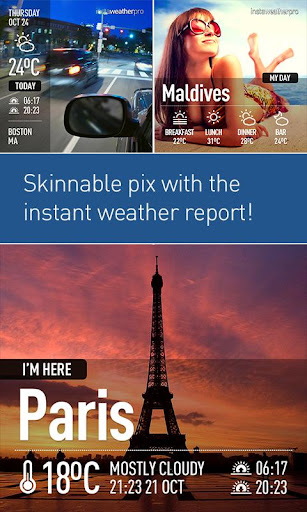
Thanks to InstaWeather Pro you can share on Instagram the weather report and forecast from the place where your are now – on top of your favourite photo that you have just snapped with your iPhone.
Picture shared through Instagram, combined with all the important forecast data and place name, gives full view of actual outside conditions!
InstaWeather PRO is full of features:
You can easily choose your favourite skin from 15 available with various weather data: from current temperature and simple info about the location to very detailed forecast with air pressure, temperature, rain, wind power and direction.
You can also choose the period of the displayed forecast: today, next few days or a whole week.
It works with Celsius & Fahrenheit, kilometres, miles and many others.
Install and share the weather with friends! Let the weather be always good for you!
Make your personal weather report NOW!!
What’s in this version:
support for full HD displays
This app has NO advertisements
Free InstaWeather PRO v1.0.1 apk

Yang The Cat apk v1.1.7 download


Yang The Cat v1.1.7
Requirements: Android 2.1 and up
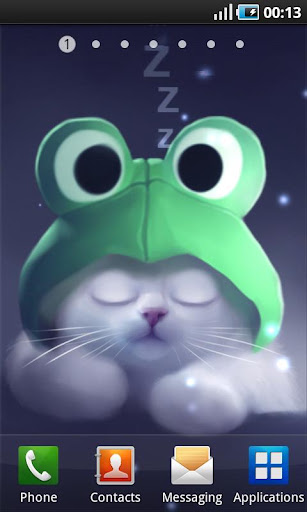
Overview: Yang The Cat is animated and interactive cat on your home screen!
You can comfort him, he purrs, meows and even sleeps! Change conditions from snowy to fireflies and customize Yang in many ways! Lots of options and accessories – hats, glasses, necklaces, eye colour and other details to change and combine. All art is original and handpainted!
Yang The Cat Live Wallpapaer runs smoothly and doesn’t eat your phone’s battery!
Supports all phone sizes except tablets.
What’s in this version:
version 1.1.7
added Valentine’s Day theme!
*fixed minor bugs
*new info!
This app has no advertisements
Free Yang The Cat v1.1.7 apk

Twitter Delicious Facebook Digg Stumbleupon Favorites More