Saturday, 9 February 2013

Handrite Notes Notepad Pro v1.83


Handrite Notes Notepad Pro v1.83
Requirements: Android 2.1 and up
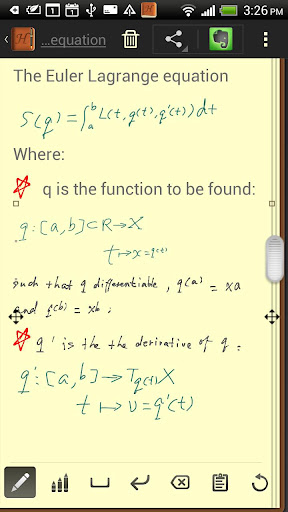
Overview: It’s the write idea. Handrite alows you to write with your finger right on your screen. Each time you lift your finger, the character or symbol you wrote appears in the notebook interface. It replicates exactly what you add to the screen. Give up the apper habit and keep, send, or post your notes.
It’s the write idea. Handrite alows you to write with your finger right on your screen. Each time you lift your finger, the character or symbol you wrote appears in the notebook interface. It replicates exactly what you add to the screen. Give up the apper habit and keep, send, or post your notes.
————-
You’re in an important meeting or lecture when suddenly you realize–you forgot your pen or notebook! Or you’re at a party and need to take down a phone number or an e-mail address. Don’t trust your memory or try to scribble on a dry-cleaning receipt; Handrite is the solution you need.
====The Write Move====
Rather than trying to frantically type notes on your device keyboard, Handrite Note allows you to write with your finger right on your Android’s screen. Each time you lift your finger, the character or symbol you wrote appears in the notebook interface. When you finish a word, just hit the space bar icon at the bottom of the screen. Hit Return if you want to move down to the next line. If you make a mistake, there’s a simple backspace button to delete as many characters as you need to. You can also cut and paste with ease.
Handrite Note doesn’t try to “read” your handwriting. Rather, it replicates exactly what you trace on the screen, as with a drawing program. This avoids the pain of having to “train” the app to read your writing, and the inevitable mistakes that occur. It also means you can sketch symbols, numbers, pictures, mathematical equations–whatever you write is instantly recorded digitally for later reference. And notes are saved automatically.
====Right at Hand====
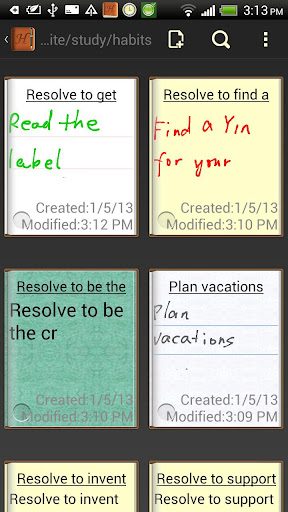
You know how it goes: you write something down on a slip of paper or pad, then misplace it or don’t have it when you need it. Now you can have your notes with you at all times, whether you’re on the beach or in the boardroom. The app’s time stamp and labeling system allows you categorize, sort, and find your notes quickly and easily.
You can also export your notes with a few taps on the screen. Whether you want to save it to your SD card, send it to yourself or someone else in e-mail, tweet it, post it to Facebook, or another sharing method, a note doesn’t have to remain tethered to your Android device. Export in either JPEG or PNG format.
====Function and Form====
Unlike many notepad applications, Handrite Note allows you to write in style. Create and save different types of “pens,” adjusting line thickness and color to fit your needs. Then swap them in and out when needed. You can also choose from 14 different styles of “paper,” including beautiful solid hues, notebook lines, and even graph paper. The size of your text and spacing are also adjustable, so you can customize them for easy readability. Make the right choice with Handrite Note for Android.
What’s in this version:
New design.
Easier share.
Faster Index page.
Stylus support(automatically disable finger input if touched by stylus)
Bug fixes.
This app has no advertisements
Free Handrite Notes Notepad Pro v1.83 apk

Planets Pack v1.6.1 apk


Planets Pack v1.6.1
Requirements: Android 2.1 and up
Overview: Discover new planets
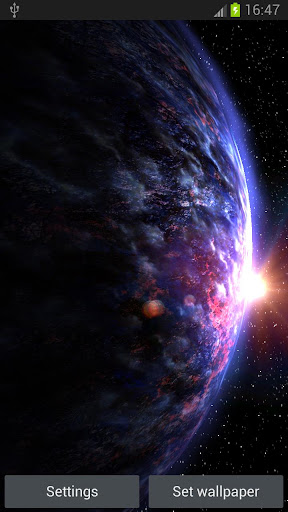
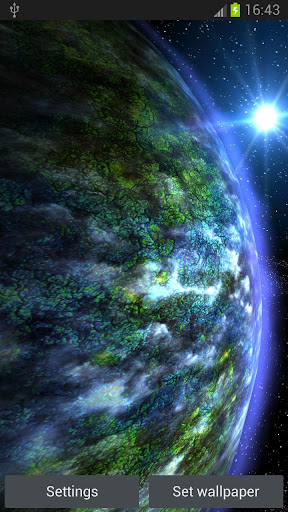
In our galaxies, Inferno, Ice, Pegasus, Colossus … There are many of the lost planets, I decided to find some of them. I wonder myself what can be found there …
At this time, succeeded find a six lost planets, after examination it seemed that the two of them have life! Guess which are … I also found a new Earth, Young Earth
Currently we have 6 planets, all are 3D with many options to set:
1. New Earth
2. Fimes Planet
3. Nebanu Planet
4. Gelidon Planet
5. Emos Gas Giant
6. Doa Planet
You can set the lighting of the planet, atmospheric lighting, wind, clouds, movement speed, and more …
Guaranteed to add the newly found planets, and add the new setting , additions in the next updates
The Live Wallpaper can be run on phones and tablets, ICS too
What’s in this version:
NEW Suns, sun illuminating the planet
+ NEW More 3D stars, objects in space
+ Fixed save/load theme
This app has no advertisements
Free Planets Pack v1.6.1 apk

Weather Station v2.0.4 apk


Weather Station v2.0.4
Requirements: 2.2 and up
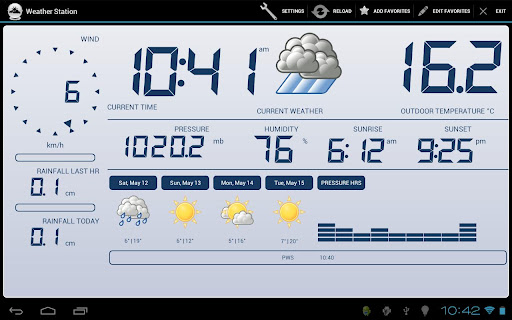
Overview: Fully Functional Weather Station
* Supports both large screen HD and phone displays
* records data displays history graphs
* Pressure
* Current conditions widget
* Forecast weather widget
* Rainfall
* Humidity
* Solar Radiation (if supported by station)
* Wind Speed and direction
* Metric and American Standard Units
* Automatic location update by wifi or GPS
* Sunrise and Sunset
* Digital Clock and Widgets
* Talking Clock and Weather announcement
* Service providers supported: Yahoo Weather, Weather Underground (PWS), BBC Backstage and NOAA.
What’s in this version:
* fixed user preferences
This app has no advertisements
Free Weather Station v2.0.4 apk

Brightness Manager ROOT v1.10.2 apk


Brightness Manager ROOT v1.10.2
Requirements: 2.1 and up
Overview: Are you disappointed with your phone’s auto-brightness feature? Is the display always either too bright or too dim for you? If you have a rooted device with a light sensor, you can now customize the brightness levels to your preferences!
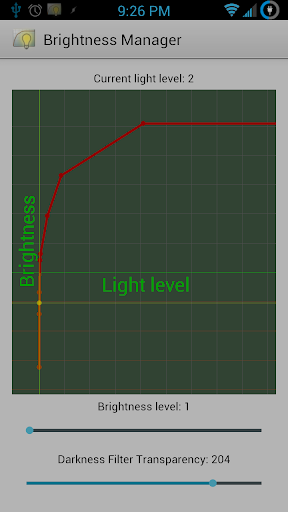
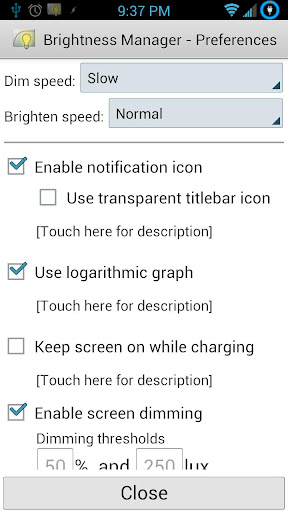
Brightness Manager runs in the background as a service. It monitors the current light level and adjusts the screen brightness according to your preferences. It is similar to the built-in auto-brightness feature, except the brightness levels are customizable!
Is your screen too bright even at its lowest setting? Brightness Manager can dim the screen beyond the minimum screen brightness! It does this by creating a translucent full-screen overlay. By adjusting the overlay’s opacity, the screen can be dimmed all the way to total darkness (don’t worry, there is a configurable minimum value to prevent this)! If your device has an AMOLED display, the overlay will further reduce battery usage!
Brightness Manager can also disable the screen timeout while charging. Once power is disconnected, the original timeout will be restored. This is better than the “Stay awake” development option, since the screen will no longer dim.
Using Brightness Manager is simple. Whenever the display is too bright or too dim, just open Brightness Manager and drag the slider bar to the desired brightness. Brightness Manager will remember the setting you chose for the current lighting condition.
If you haven’t set up a specific brightness level for the current lighting condition, then Brightness Manager will guess the desired brightness level by interpolating the preferences you set for darker and brighter lighting conditions. There are even preferences you can set to control the dim and bright speeds, as well as when to allow the screen to dim.
You can create shortcuts on your home screen to enable Manual Override mode, where you can specify a specific brightness level to maintain. These allow you to have quick access to specific brightness levels, for times when you want to maintain a constant brightness.
Please notify me if your device is not supported. I will work with you to get it working!
If you have having issues with high battery usage (or any other problems), please let me know, so I can work with you to fix it! Typical battery usage should be less than 3%.
Don’t worry about the 15-minute refund window. Try it out for a few days, and if you’re not happy, contact me for a full refund!
This app has no advertisements
Free Brightness Manager ROOT v1.10.2 apk

ROM Toolbox Pro v5.5.6 download


ROM Toolbox Pro v5.5.6
Requirements: Android 2.0+, Lucky Patcher
Overview: ROM Toolbox is the MUST HAVE app for any rooted user.
ROM Toolbox combines all the great root apps all tied up into one monster app with a beautiful and user-friendly interface. It also adds many more unseen features!
This app requires root permission.
**************
FEATURE LIST:
**************
==== TOOLS ====
– ROM Manager –
☆ Install full ROMs and other zips from a growing list of ROMs
☆ Create, manage and restore nandroid backups
☆ Wipe data, cache, dalvik-cache, battery stats
☆ Install a ROM from your SD card
– App Manager –
☆ Batch backup & restore
☆ Automatically backup apps when they are installed
☆ Automatically delete backups when uninstalled (off by default)
☆ Send backups via gmail/email or dropbox
☆ Sort backups by already installed, same as installed, older versions, etc.
☆ Backup/restore app data
☆ Backup/restore Android Market link
☆ Task manager
☆ View memory usage
☆ Show/hide different processes
☆ Automated batch uninstaller
☆ E-mail your apps to friends
☆ Share with other applications which accept text (SMS, facebook, google reader, etc…)
☆ Move *any* user app to the SD card
☆ Freeze/Defrost system & user apps
☆ Market Doctor (Link *any* app to the Android Market)
☆ Break market links
☆ Clean up dalvik-cache
☆ Zipalign all apks
☆ Fix permissions on all apps
☆ Wipe data or cache for apps
☆ Force close apps
– Root File Browser –
☆ Access the whole of android’s file system (including the elusive data folder!).
☆ Batch copy/paste, zip, tar, delete, move any file or folder
☆ Change file permissions and ownership
☆ View, edit and share files
☆ Add new files & folders in any directory
– Scripter & Terminal Emulator –
☆ Create and run scripts as root
☆ Download & run new scripts from an ever-growing list
– Auto Start Manager –
☆ Enable/disable apps that run on start-up
☆ Enable/disable any intent/action apps receive
– Ad Blocker –
☆ Choose to block ads, porn, casino & risky sites
☆ Add new sites to the hosts file
☆ Use custom IP
– Configure Apps2SD –
☆ Select the default install location for apps
– Rebooter –
☆ Reboot recovery, powerdown, bootloader, restart status bar, etc.
==== INTERFACE ====
– Font Installer –
☆ Install custom fonts to your whole device from a list of over 150
☆ Set fonts as favorites and send them to friends
– Boot Animation Installer –
☆ Install custom boot animations from over 100+
☆ Preview boot animations
☆ Backup & preview your current animation
– Theme Manager –
☆ Create themes to install to your system
☆ Install a theme from other users
– Icon Changer –
☆ Customize your status bar by installing custom icons for wifi, 3g/4g, gps, usb, etc.
☆ Change your battery icons in the status bar to a custom one from a list of 150+
– Boot Logo Changer –
☆ Change your boot logo (splash screen) for supported phones
– Theme Chooser Themes –
☆ View a list of themes for the CM7 theme chooser
==== PERFORMANCE ====
– CPU Sliders –
☆ SetCPU and scaling governor
☆ Apply cpu at boot
☆ View cpu info
– Build.prop Tweaks –
☆ Easily edit your build.prop
☆ Change lcd density, improve battery life, increase performance
– Auto Memomory Manager –
☆ Set minfree values and select from presets
☆ Apply minfree at boot
– SD Boost –
☆ Increase the speed of your SD card
– Sysctl Tweaks –
☆ Easily modify sysctl values
**************
Are you a ROM developer? Get your ROM in Rom Toolbox today! Email us, what are you waiting for? We would also love if you put ROM Toolbox (free) in your ROM. Email us and we will offer support
What’s in this version:
We have tons of features we are working on! This is what’s new in the latest version:
<b>Version 5.5.1</b>:
- Fix bug where ROM Management was using old install scripts
<b>Version 5.5.0</b>:
- Re-wrote the ROM Management section!
- Added OTA updates
- Added goo.im & androtransfer.com support
- Improved ROM downloads
- Better ROM installation and install queue
- Fixed chinese language showing empty app
- Updated translations
- Add back hiding overviews
Note:
1. Remove version 5.5.1 or other previous version including data first.
2. Clear Data to Luckypatcher, and run LuckyPatcher the custom patch will be saved to /sdcard/LuckyPatcher/
3. Install 5.5.6 and don’t run ROM toolbox pro, then use Lucky Patcher to remove the protection via custom patch
4. Reboot Phone
Thanks ChelpuS for making ROM Toolbox Pro’s custom patch.
This app has no advertisements
Free ROM Toolbox Pro v5.5.6 apk

Love Letters Pro v1.2


Love Letters Pro
Love Letters Pro v1.2
Requirements: 2.3+
Overview: The perfect Valentine’s Day live wallpaper!
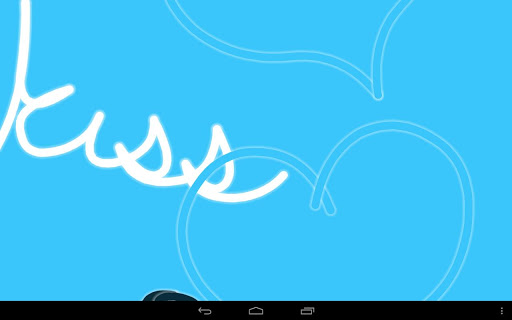
Romantic imagery and phrases hand-drawn across your screen! Choose how much is drawn at a time, how fast, and what colors to use.
Choose from a variety of built in themes:
+ Candy Coated
+ Chilly
+ Chocolate
+ Graffiti
+ Hearts
+ Subtlety
+ Watermelon
Take screen shots of your creations and share them with your friends!
Use the Randomize feature to create unlimited new themes!
If you like to change settings a lot, be sure to add the Love Letters settings widget to your home screen (Home > Menu > Add > Widgets > Love Letters).
This app has NO advertisements
Free Love Letters Pro v1.2 apk

Where’s My Water? v1.11.0


Where’s My Water? v1.11.0
Requirements: Android version 2.1 and higher
Overview: WHERE’S MY WATER IS THE HIT DISNEY APP! NOW WITH OVER 200 LEVELS!
“Game of the Year” — POCKET GAMER
“Game of the Year” — PHONEARENA.COM
“Game of the Year” — APPLE ‘N APPS
“92 Metascore” — METACRITIC.COM
“Editor’s Choice Award” — IGN
“Game of the Month” — SLIDE TO PLAY
“One of those rare gems that manages to get everything right.” — GAMEZEBO
“This is the perfect game to play on the go.” — KIDZWORLD
• TWO STORIES — TWO SEPARATE GAMES — MORE THAN 200 TOTAL PUZZLES – FREE UPDATES!
SWAMPY’S STORY
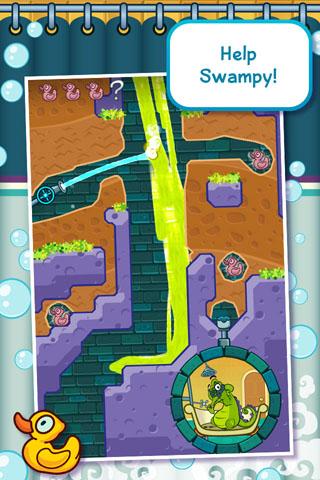
Swampy the Alligator lives in the sewers under the city. He is a little different from the other alligators — he’s curious, friendly, and loves taking a nice long shower after a hard day at work. The other alligators have damaged his plumbing and disrupted the water flow. Help Swampy by guiding water to his shower! In Swampy’s Story, play eight themed chapters over 160 levels. Collect Swampy’s ducks and shower items to unlock new puzzles and bonus levels. FREE levels are added to Swampy’s Story regularly!
CRANKY’S STORY
Cranky is the toughest alligator around and he has worked up an appetite from sabotaging Swampy’s water supply. He eats anything, especially all the rotting and disgusting junk found in the dumps and sewers. Cranky will not eat vegetables however, and now his food is covered with vegetable-like algae. Use the dirty purple water to clean off Cranky’s plate so he can eat! Cranky is tough and so are his puzzles! Try five levels for free and test your skills with more than 80 levels for an additional in-app purchase.
Try five levels for free and test your skills with more than 80 levels for an additional in-app purchase.
• HUMOROUS STORY MOMENTS AND RICHLY-DETAILED GRAPHICS BRING THIS SUBTERRANEAN WORLD TO LIFE!
AMAZING LIFELIKE FLUID PHYSICS
Go with the flow! Swipe, slosh, and splash to guide fresh water, dirty water, and ooze through increasingly challenging scenarios.
COLLECTIBLES, CHALLENGES, AND BONUS LEVELS
Collect Swampy’s shower items and complete Cranky’s Challenge to unlock bonus levels. “Tri-Duck” each chapter and tap around for secret levels and even more surprises! Visit http://www.facebook.com/WheresMyWater for more hints, tips and secrets.
Every drop counts in Where’s My Water? — A refreshing new puzzler filled with good clean gaming fun!
What’s that – need MORE Cranky? Cranky’s Story is now complete with OVERSTUFFED, the final chapter and the last 20 levels in his ultra-challenging story. Already Purchased Cranky? Get these 20 NEW levels for FREE.
What’s in this version:
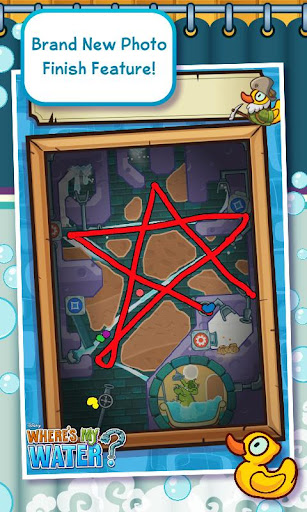
Introducing a brand new feature – Photo Finish! Photo Finish records how YOU beat a Level of the Week, and then gives you an awesome picture of your work to share with your friends. Bonus challenge – can you beat the level and draw something fun? For the month of February, we have also added special Levels of the Week inspired by Aulani, a Disney Resort & Spa! Check them out now!
This game has no advertisements
Free Where’s My Water? v1.11.0 apk

Block Warfare v1.1


Block Warfare v1.1
Requirements: 2.0.1+
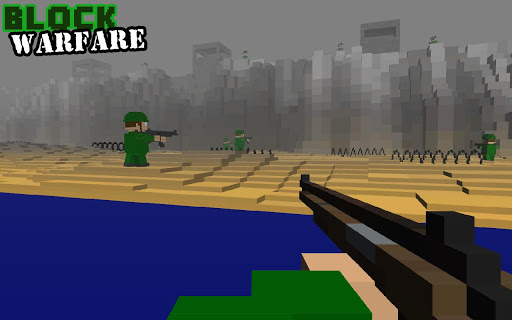
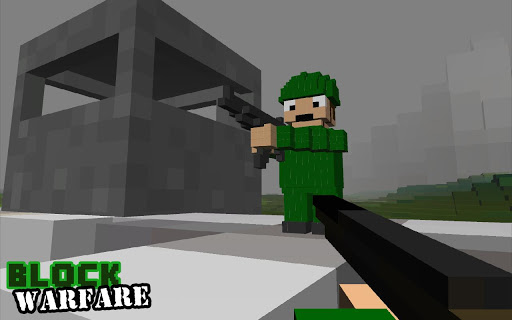
Overview: Block Warfare is a brand new MULTIPLAYER online shooter set in a blocky, voxel based environment. Place blocks to build your teams defenses and sabotage the enemy’s fortifications!
This game has no advertisements
Free Block Warfare v1.1 apk

Zooper Widget Pro v2.00


Zooper Widget Pro v2.00
Requirements: 4.0.3 and up
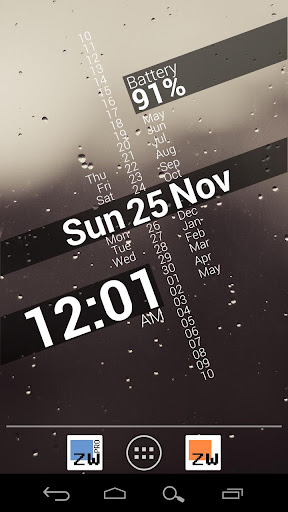
Overview: Minimal, classy, extremely customizable and battery friendly Clock Widget with all the data you need, at once!
If you like the widget and want to support the development please rate it! If you have issues or requests send me an email, i cannot answer comments!
FREE FEATURES:
- Sample templates included, no need to download anything else
- Some custom fonts already included, additional can be added on sdcard/fonts
- Create your templates easily, no functional limit
- Build your style and change everything, color, text, shapes, position and more
- Completely custom date and time (day of year, week number, number to text and more)
- Battery info (remaining time, percentage, temperature, voltage)
- World clock (multiple timezones on the same widget)
- Weather with two days forecast even for multiple locations on same widget
- Calendar info with free customization
- System info, like uptime, next alarm, sd card space
- Wifi network name, cell operator
- Sunrise and sunset even for multiple location at once
PRO ONLY:
- No Ads
- Widget on tap action / config lock (and “module” click action soon)
- Save your templates
BATTERY:
Zooper Widget has been built from ground up with battery in mind, nothing will be done while your phone sleeps, no weather will be updated if you have no weather information on screen, no location will be updated if you do not ask to.
MEMORY:
Zooper Widget does not use much memory when it’s running, even with 10 widgets on your screen it won’t grow more than 7 or 8 megabytes. During configuration however RAM usage can grow even to 25mb, this is normal and the space will be released some time after config is closed.
SIMILAR TOOLS:
- Advanced Clock Widget
- Minimalistic Text
- Beautiful Widgets
- SiMi Clock Widget
- TypoClock
- Clockr
- BattStatt
- Ultimate custom clock
- Make Your Clock Widget
What’s in this version:
If you use ZW on JB LockScreen the phone might reboot after upgrade due to an Android bug, sorry this can be fixed only by Google!
== 2.00
- Celsius now default on non US countries
- Fixed save in location picker
- Fixed rich text “limit” bug
- New “drawing mode” for modules, (see http://zooper.org/wp/archives/1651)
- Added next days sunrise/sunset to parser
- Added shadow to rich text
- Added ROM name long / last good weather update
Full Changes: http://zooper.org/wp/android/zw/changelog
This app has no advertisements
Free Zooper Widget Pro v2.00 apk

GrooVe IP v1.3.5


GrooVe IP v1.3.5
Requirements: Android 2.1+
Overview: Voice without Minutes!
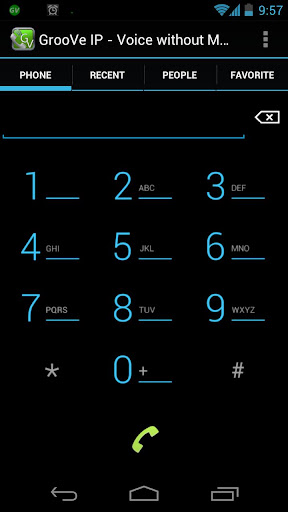
GrooVe IP is an android app that connects to Google Voice using Voice over IP (VoIP). What this means for you is you can make free unlimited calls to any phone in the US or Canada without using your voice minutes. GrooVe IP works on any android device, phone or tablet, and allows you to make calls using the device’s data (WiFi or mobile data) connection. If you have a smartphone with Wi-Fi connectivity but no mobile plan, you can use this app to convert it to a free, full-featured working phone.
This app has a separate dialer that can be used to make calls. Alternatively, the native dialer, call-log, contacts, and favorite functionality can be shared between the phone and app on a call-by-call basis.
** NOTE ** Please ensure that your Google Voice account is associated with either a gmail or google apps account.
** NOTE ** To receive incoming calls you MUST go into your Google Voice account and forward calls to Google Chat.
** NOTE ** GrooVe IP uses 1.2 MB per minute during a call
For requirements, setup details, answers to frequently asked questions, known issues, or more information, please visit http://snrblabs.com/snrb/grooveIp.aspx
If you have any questions, feature requests, or run into any problems please contact us! We cannot help you if you only leave a comment. We have a 24 hour refund period! If you would like a refund please send us your order receipt and a description of why you want a refund. If you are having trouble with the app and contact us within 24 hours we will extend the refund period while we help troubleshoot!
*** FINE PRINT ***
Google Voice℠ services are provided by Google, Inc. SNRB LABS, LLC is NOT affiliated with Google, Inc.
Google Voice℠ is a call enhancement service which will not route emergency (911) calls.
International rate information can be found http://www.google.com/chat/voice/compare.html
What’s in this version:
If you are having trouble with an update please try a clean install. Uninstall the app, restart the device, then download and install the app again.
- Accessibility checkbox to support screen reader apps
- Troubleshooting checkbox to disable jelly bean audio apis
- Fix Note 10.1 on jelly bean
- Confirmation dialog to clear the recent call log
- New default settings for Virgin Mobile Venture
- Fix invisibility mode
- For ICS and above call new api to detect if a bluetooth headset is connected
This app has no advertisements
Free GrooVe IP v1.3.5 apk

Twitter Delicious Facebook Digg Stumbleupon Favorites More