Saturday, 9 February 2013

MX Player Pro v1.7.11


MX Player Pro v1.7.11
Requirements: 2.1 and up
Overview: THIS IS THE AD-FREE VERSION OF MX PLAYER. MX Player – The best way to enjoy your movies.
<Key Features>
a) MULTI-CORE DECODING – MX Video Player is the first Android video player that performs multi-core decoding. According to the test results on dual-core devices, it shows up to 70% performance improvement than single-core devices.
b) CPU OPTIMIZATION – Provides highly optimized Codecs and Rendering Engines for the processors including ARM® NEON™ and NVIDIA® Tegra™ 2.
c) PINCH ZOOM – Easily zoom in and out by pinching and swiping across screen.
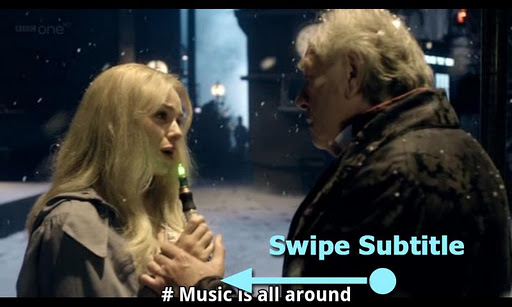
d) SUBTITLE SCROLL – Scroll on subtitle text and playback position will be adjusted to match previous or next subtitle timing.
e) BETTER SUBTITLE READABILITY – Increased subtitle readability with thicker border and shadow around text.
f) ANDROID 4.1 – Fully supports Android 4.1 Jelly Bean.
<Subtitle Formats>
- DVD, DVB, SSA/ASS Subtitle Tracks.
- Sub Station Alpha(.ssa/.ass) with full styling.
- SAMI(.smi/.sami) with ruby tag support.
- SubRip(.srt)
- MicroDVD(.sub/.txt)
- SubViewer2.0(.sub)
- MPL2(.mpl/.txt)
- PowerDivX(.psb/.txt)
- TMPlayer(.txt)
******
Sometimes license checking could fail on the first run.
It typically happens when current time or time zone settings are incorrect, or Internet connection is unavailable. Please check the time setting and Internet connectivity.
******
If you can’t buy from Android Market, please check our home page. We support more payment methods. (https://sites.google.com/site/mxvpen/buy)
******
About “modify battery statistics” permission: MX Video Player displays current battery state while playing video. To do this permission to read battery state is required. However Android does not distinguish between reading battery state permission and writing battery permission. This is why, despite battery state is only being read, permission to write battery state is required.
******
About “System Tools – display system-level alerts” permission: This permissions is required to block HOME key when input blocking is activated on video playback screen.
******
KRW 6,000 is about USD $5-$6.
******
What’s in this version:
Added support for double tap gesture; Toggle play/pause.
Added support for Samsung multiwindow.
Added an option to hide position text while seeking video. Check Playback screen > Menu > Display > Settings > Navigation > Display position text while seeking video
Changed Kids Lock behavior; If kids lock is in use, do not exit playback screen even if last video is finished.
Fixed h/w+ playback failure on Google Nexus 10.
Fixed dialogs not to hide behind main window in Android 4.2
This app has NO advertisements
Note:
Please remove all previous version and codec at first!!!
Free MX Player Pro v1.7.11 apk

Super Status Bar Premium v0.16.7


Super Status Bar Premium v0.16.7
Requirements: Android v2.2+
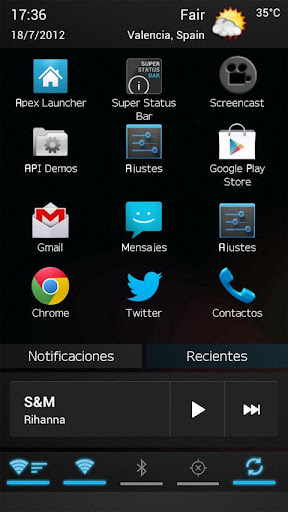
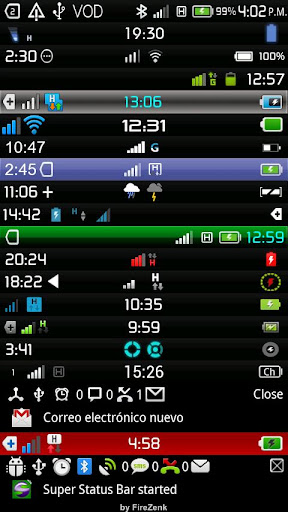
Overview: UNIQUE STATUS BAR WITH TRANSPARENT BACKGROUNDS WITHOUT ROOT!
NOW SUPPORT DOWNLOADABLE THEMES.
UNIQUE STATUS BAR WITH TRANSPARENT BACKGROUNDS WITHOUT ROOT!
NOW SUPPORT DOWNLOADABLE THEMES f000h
CREATE YOUR OWN AND SHARE IT ON GooglePlay: bit.ly/OL8Cmk
At last a bar and a custom notification panel to suit the user!
And without losing features!
Super Status Bar is the notification bar you always wanted.
Not a Root? because there is no problem, Super Status Bar is here to change things!Customize your taskbar to the smallest detail!
With Super Status Bar can change the position of the icons in the status bar, you can change your appearance, use the backgrounds that you like, download new themes each week, change the text fonts, simplify your status bar to a minimum expression or extend it until the unimaginable features, all to make your status bar to your liking and not liking the manufacturer.
Choose from a large number of themes and also … be the first to test the status bar ICE CREAM SANDWICH!
You can see the notifications on the lock screen or even while you play!
You only have to activate Accessibility options Android
Now you can customize the notifications panel!
You’ll also have quick access to the most important system notifications without having to deploy the notification bar, with direct access included in the application, such as calls, sms’s or gmail’s
And if this were not enough, you can enjoy the new notifications panel which add more features to the classic status bar, things like shortcuts to switch wi-fi, bluetooth, gps, mute and more.
Better and more complete than statusbar+ or omega statusbar
This app is in beta, please used the comments to suggest improvements and not rate adversely.
If you have a problem used aid included in the app and if you find no solution send me an e-mail
ATENTION:
SDCARD is required to save settings & background
NOTE:
The logs are read only to send the FC that may cause by the app.
I DO NOT PICK UP PRIVATE USER DATA!
Recent changes:
- Fixed weather temp. bug
- Fixed carrier load bug
- Fixed null service bug
- Fixed battery menu exception
- Fixed panel position error on drag
- Fixed notification count bug
- Fixed widget deletion error
- Fixed custom font list error on some devices
Visit Website
Less description »
Note: all premium features available. no need buy premium.
This app has NO advertisements
Free Super Status Bar Premium v0.16.7 apk

3G Watchdog Pro v1.19.4


3G Watchdog Pro v1.19.4
Requirements: 2.1 and up
Overview: Pro version of 3G Watchdog mobile data (4G/3G/Edge/GPRS…) counter / monitoring app,
featuring:
* Mobile, roaming & WiFi usage counting
* Advanced data usage prediction
* Billing rules (counts in blocks, ignores uploads, exclude apps, exclude time periods, do not count 2G or 4G)
* Usage history with graph & CSV export
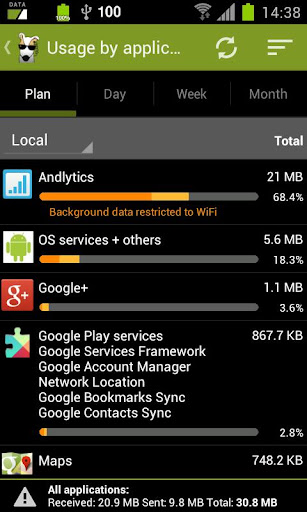
* Usage by application (Android 2.2+, unavailable on Dell Streak)
* Alerts & optional auto-disable of mobile network
* 5 widget styles
* Backup/restore with optional auto-backup
* Redesigned UI
* Account per SIM with auto switch (requires a phone with a SIM)
* Import settings & data from 3GW free (don’t uninstall 3GW free before importing!)
* … and more!
Translated in Chinese Simplified, Chinese Traditional, Danish, Dutch, English, French, German, Greek, Hungarian, Italian, Japanese, Lituanian, Polish, Portuguese (Brazil), Portuguese (Portugal), Romanian, Russian, Slovak, Spanish, Turkish, more on the way.
KNOWN PROBLEMS:
* Doesn’t count properly global usage on Samsung Galaxy Tab 10.1 and 8.9 – this problem affects other data counting applications as well and is caused by a bug on the tablet itself. You may try to check the “Calculate global usage from usage by app” advanced option as a possible workaround (feedback welcome).
* Doesn’t count properly global mobile usage on Samsung Galaxy R / Z (i9103) and possibly Galaxy Y. Problems were also reported with the Captivate Glide. Same workaround as for the Galaxy Tab (see above).
* Early versions of 3GW Pro reported as not working on ZTE Blade/Orange San Francisco (black screen).
OTHER PROBLEMS:
If you run into problems and wish to help to solve the problem while giving the community a chance to get a better 3GW Pro, please send a mail to contact-pro@3gwatchdog.fr with details.
3GW Pro can’t possibly work perfectly on all possible phone models (more than 2000 target devices) with all Android stock or custom versions + all manufacturers’ custom layers (such as HTC Sense) + all carriers’ custom layers + all combinations of installed applications, so please be understanding and collaborative rather than just angry if everything is not immediately perfect. Thank you.
What’s in this version:
PLEASE UPDATE TO 1.19.4 IF YOU ARE USING 1.19.3!
* Fixed crash on phone start when plan does not reset on midnight AND expires while phone is off (affects only 3GWP 1.19.3).
* Updated Italian and Greek translations.
This app has no advertisements
Free 3G Watchdog Pro v1.19.4 apk

PixelPhone Pro v2.6.5


PixelPhone Pro v2.6.5
Requirements: Android 2.1 and up
Overview: High application speed, stylish design, convenient and customizable interface. Feel the difference!
★ CONTACTS
• Intelligent search through all contacts fields
• Sorting and display of contact list (Last First, First Last)
• Display of contacts in alphabetical groups
• Quick browsing of contacts using an ABC scroll bar
• Display of contact’s photo, phone number and company name
★ FAVORITES
• Quick and easy arrangement of favorite contacts into groups
• Smooth browsing of contacts in a group or browsing between the groups (up-down and left-right)
• Various ways of icon customization
• Favorite action for any contact (call, message, e-mail, address, …)
• Classical or widescreen wallpapers
★ PHONE
• Quick and configurable smart T9 search through all fields in contacts and call history
• Support of T9 search using 2 languages simultaneously
• Customizable keypad size (small, medium and large)
• Quick dial
• Gestures (hide keypad, clear filter, undo filter)
★ CALL HISTORY
• Sorting by date
• Sorting by contacts
• Call history limitation (3/7/14/28 days, сomplete)
• Filtering (missed calls, all calls)
• Displaying date, duration and type of call
★ CONTACT CARD
• Assignment of HD photo for the contact
• Display of all contact’s fields, grouped into categories (phone, internet, address, …)
• Quick switching between contact’s information and call history (lower panel)
• Creating, editing, deleting and sending contact’s card
• Clipboard support
★ PIXELPHONE
• High speed. Quick launch. Smooth animation and scrolling.
• Stylish design. All interface elements are designed in classical colors and carefully drawn for each device.
• Convenient interface. Despite the application’s user friendliness, it has lots of interesting features.
• Personalization. Flexible configuration of application’s interface and work according to your preferences.
• Support and development. The application is constantly updated with the consideration of users’ requests.
What’s in this version:
• Support HD photos of contacts (ICS+)
• Delete single call from History
• Fix: Contacts sorting
• Fix: ABC bar visualization
• Fix: Labels of favorite contacts
• Fix: Phonepad layout in landscape mode (for tablets)
• Other minor fixes and improvements
This app has no advertisements
Free PixelPhone Pro v2.6.5 apk

Gentle Alarm v3.8.1


Gentle Alarm v3.8.1
Requirements: Varies with device
Overview: * most popular Android alarm * * works even when standard alarm is unreliable!!
Full explanation of all permissions given below.
- most feature rich alarm clock on the market
- speech input and output
- choose own colors, font size, backgrounds
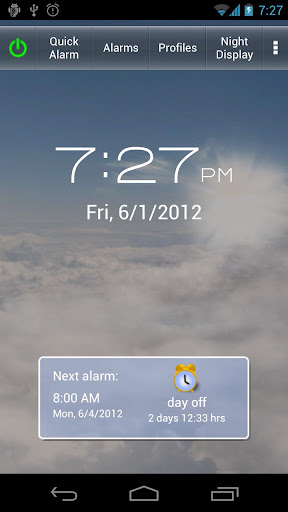
- night display with customizable font color and size
- flashlight
- dock support
- tries to you wake you up during light sleep (optional, see below)
- mp3, ringtones, playlists, folders, internet radio, can create own playlists by choosing an artist or genre…
- uses own media player for super-gentle fade-in of music
- silent alarm with slowly increasing vibration
- large button mode for users with glasses
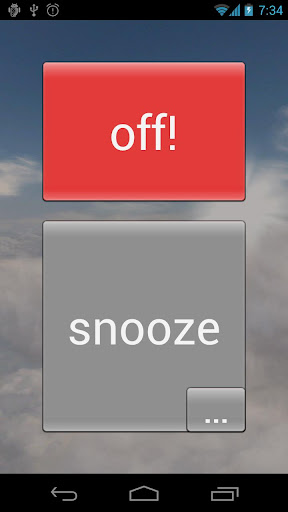
- flip to snooze, shake to dismiss
- puzzle or math tests if you are awake
- Tasker and SleepBot support
An alarm clock shouldn’t shell-shock you out of your dreams. That’s why I created Gentle Alarm which tries to wake you up during light sleep using an optional pre-alarm.
Alarm clocks can’t know if you are in light sleep or deep sleep (those movement based alarm clock don’t work) but they can play a very quiet pre-alarm which you will only hear if you are in light sleep. If you are in deep sleep, you will simply sleep through the pre-alarm.
The pre-alarm plays 30min before you really want to get up (you can change that). If the pre-alarm wakes you up, you will be more refreshed than if you had slept until the main alarm because at that time you would have fallen back into deep sleep. Give it a try and I am sure you won’t want to miss it anymore.
What’s in this version:
- bug fix: date and time format
- bug fix: flip-to-snooze turned off alarm after last snooze
- bug fix: dismissing alarm launched unwanted app on some devices
- new: main screen will keep display on indefinitely
- new: Slovak language
This app has no advertisements
Free Gentle Alarm v3.8.1 apk

Janetter Pro for Twitter v1.5.0


Janetter Pro for Twitter v1.5.0
Requirements: 2.2 and up
Overview: Janetter for Twitter designed for your everyday use!
Try it now!
The popular Windows and Mac Twitter client “Janetter” has arrived on Android!
Application designed for your everyday use, and perfectly suited to your needs.
Start the Janetter experience right now.
◆Highlights
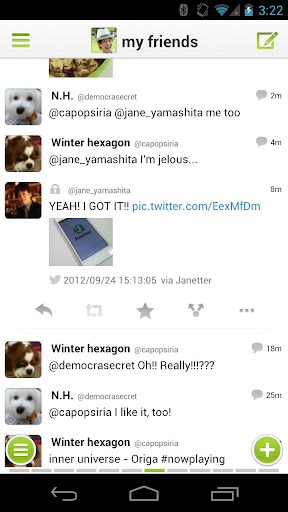
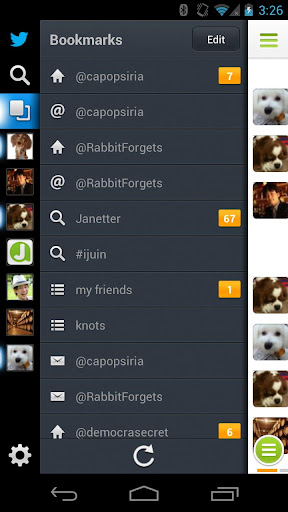
- Quickly cycle through bookmarked Timelines with a swipe
- Update all bookmarked Timelines at once
- Multi-account compatible, no need to switch accounts to check for new tweets
- Compatible with Timeline displays like lists and searches
- Send replies or add to favorites from the icons displayed when you tap a tweet
- Allows you to assign the tap and hold actions on tweets to your preferred functions
- Display thumbnails for the tweets with photos
- Hide tweets with particular keywords, from particular users or from particular apps using Mute
◆The differences between the Pro version and Free version
- Banner ads at the top of Timeline (Free version: Yes, Pro version: No)
- Account registration limit (Free version: up to 3 accounts, Pro version: up to 7 accounts)
◆How can I make comments or suggestions?
What’s in this version:
v1.5.0
* added support to change trends location.
* added long tap gesture on profile images at timeline.
* added support to delete messages.
* added support to add or remove saved searches.
* added delete tweet cache feature.
* fixed some reported bugs.
This app has no advertisements
Free Janetter Pro for Twitter v1.5.0 apk

Press (Google Reader) v1.1.5


Press (Google Reader) v1.1.5
Requirements: 4.0 and up
Overview: Introductory price to celebrate our launch!
Press is a Google Reader app that is all about the reading experience. It has been designed with the purpose of making your news easier to read. Quickly move from screen to screen and effortlessly manage the articles you want and the ones you don’t.
We designed an app that we want to use and hopefully our attention to detail will be evident on every page.
Note: This app requires a Google Reader account to sync your RSS subscriptions.
Features:
- No ads
- Syncs with Google Reader
- Quickly manage the articles you want to read
- Offline reading support
- Clean reading environment
- Simple swipe navigation
- Image zooming
- Change reading font style and size
- Share the articles you read or star them for later
- Open articles in the app or your default browser
Details:
- Press the favicon to next to an article to “fast mark” the articles as read/unread
- Long-press the favicon to have the option to mark all older articles as read
- When reading an article, double-tap any image to get a closer look
- Also, tap the article title to read it in the browser
What’s in this version:
1.1.5
- Performance enhancements
- Improved syncing over older HTTP/1.0 connections
This app has no advertisements
Free Press (Google Reader) v1.1.5 apk

Money Lover Plus v3.7.8


Money Lover Plus v3.7.8
Requirements: Android v2.2+
Overview: Money Lover is a simple way to manage your personal finances.
This application helps you budget and track your spending.
Money Lover is a simple way to manage your personal finances.
This application helps you budget and track your spending. Add financial details like income from salaries, winnings, or sales, and enter your expenses from dating to travel. Money lover acts like a financial calendar, alerts you to debts, and reminds you of transactions. Add customized categories for income or expenses.
Operates in English, Vietnamese, Italian, German, Japanese, Chinese, French, Portuguese, Spanish, Russian, Ukrainian, and Lithunian. Works with over 45 types of currencies, from dinars to yen. Backup and restore your data. f000h
Please do not move the application to the sd card if you want to use the widgets (general limitation of the Android operating system)!
If anyone can help with translating to other languages or giving valuable feedback, don’t hesitate to email me via: contact@moneylover.me
*FAQ*
Q: How to delete account/transaction/balance etc?
A: Tap in the list to bring up popup menu
Q: Why I dont see widget?
A: You can go setting move app from SD card to phone
Keywords: expense manager, money manager, money tracker, money control, budget, family, saving, bill, interest rate,expense management, expense tracker, money manager, personal money manager, savings tracker, saving money, finance manager, personal finance, personal finance manager, personal finance management, personal money management, budget manager, budget tracker,budget planner, spending tracker, daily expense tracker, daily expense manager, income tracker, income calculator, mobile banking, savings account, checking account, receipt tracker, receipt scanner, receipt filer, receipt capture, expense log, household budget, family budget, financial planner, financial calculator, accounting, finance, accounting software, business accounting, cash register, cash organizer, credit cards, banking app, mobile banking app, android banking, money, money saving app, money saver, easy money, wallet, pocket money, ledger, page once, mint, checkbook, book keeping, book keeper, mobile expense tracker, mobile money app,moneywise,money wise,iWallet,expensemanger,finance campaign,wedding manager,saving campaign, mobile money manager,fuel tracker,shopping, expense tool, money tool,financisto
Recent changes:
- Add Turkish language
- Upgrade Csv Export
- Fix some bugs
Visit Website
Less description »
Note: all plus features available. no license needed.
This app has NO advertisements
Free Money Lover Plus v3.7.8 apk

Next launcher theme Tech-pink v1.0


Next launcher theme Tech-pink v1.0
Requirements: 2.2 and up
Overview: We represent your attention theme «Tech pink» for Next launcher!
Attention! This theme works on every version of Android from 2.2 till 4.1 and up. The install process was changed to working on Android 4.1 and up.
*** Installation Instruction of theme***
1) Installing Next launcher as your home launcher.
2) Buy the theme on Google Play- install – open – oк – install – open
3) Use the theme: Мenu – Personality – theme – click icon theme “Tech pink”.
This app has no advertisements
Free Next launcher theme Tech-pink v1.0 apk

Xperia Launcher v1.3.7


Xperia Launcher v1.3.7
Requirements: 4.0.3+
Overview: Based on Xperia™ Home 4.1.A.0.7 from Xperia T
Features summary:
- User selectable number of home screens (up to 11) and default screen selection
- Customizable desktop and app drawer grid size (from 3 x 3 to 9 x 9)
- Infinite scrolling on the desktop and the app drawer (significantly improved from previous (GB) version)
- Resizable widgets
- Hide apps from the app drawer (now does not hide them from the desktop and the dock)
- Swipe Up / Down gestures on the desktop
- Show / hide icon labels on the desktop, the dock and the app drawer
- Enable / disable app sharing on social networks
- Enable / disable tactile feedback (vibration)
- Icon packs support (load icons from: Launcher Pro, ADW Launcher and GO Launcher themes / icon packs)
- Backup and restore launcher settings
- Support for any resolution and any display density (custom DPI)
- Others
Information:
- Support for all phones and tablets (both Xperia and non-Xperia) running Android 4.0.3 and later (all ROMs are supported)
- Installable as normal app (will be available on Google Play soon!)
- ICS users have two possibilities for adding widgets:
1.3.7 (Build: 1077) 09.2.2013
- Added: Pop-up menu on long tapping an item on the desktop and the dock bar
- Added: Ability to edit the titles of shortcuts on the desktop and the dock bar
- Added: Ability to assign custom icons to shortcuts on the desktop and the dock bar
- Added: Xperia™ Launcher icon (visible in other launchers) – convenient when launching the application for the first time
- Added: “Activities” under the add shortcut menu – allows for adding a shortcut to any activity
- Fixed: Out of memory error when a very large image is selected for Dock background
- Fixed: Desktop: Expanding folder icon when tapping on a closed folder
- Fixed: Enabling swipe up/down gestures on the desktop does not disable scrollable widgets anymore
*NOTE: Non Xperia scrollable widgets will perform as expected, but Scrolling Xperia widgets such as Photo widget and Notes widget will lead to simultaneous scrolling + swipe action execution. This is due to the way Xperia widgets are designed.
- Removed: Rocket launcher activity (not really needed)
- Removed: NetworkNameManager and NetworkNameView (unused)
- Other minor fixes and changes
This app has no advertisements
Free Xperia Launcher v1.3.7 apk

Twitter Delicious Facebook Digg Stumbleupon Favorites More