Saturday, 9 February 2013

Xperia Launcher v1.3.7


Xperia Launcher v1.3.7
Requirements: 4.0.3+
Overview: Based on Xperia™ Home 4.1.A.0.7 from Xperia T
Features summary:
- User selectable number of home screens (up to 11) and default screen selection
- Customizable desktop and app drawer grid size (from 3 x 3 to 9 x 9)
- Infinite scrolling on the desktop and the app drawer (significantly improved from previous (GB) version)
- Resizable widgets
- Hide apps from the app drawer (now does not hide them from the desktop and the dock)
- Swipe Up / Down gestures on the desktop
- Show / hide icon labels on the desktop, the dock and the app drawer
- Enable / disable app sharing on social networks
- Enable / disable tactile feedback (vibration)
- Icon packs support (load icons from: Launcher Pro, ADW Launcher and GO Launcher themes / icon packs)
- Backup and restore launcher settings
- Support for any resolution and any display density (custom DPI)
- Others
Information:
- Support for all phones and tablets (both Xperia and non-Xperia) running Android 4.0.3 and later (all ROMs are supported)
- Installable as normal app (will be available on Google Play soon!)
- ICS users have two possibilities for adding widgets:
1.3.7 (Build: 1077) 09.2.2013
- Added: Pop-up menu on long tapping an item on the desktop and the dock bar
- Added: Ability to edit the titles of shortcuts on the desktop and the dock bar
- Added: Ability to assign custom icons to shortcuts on the desktop and the dock bar
- Added: Xperia™ Launcher icon (visible in other launchers) – convenient when launching the application for the first time
- Added: “Activities” under the add shortcut menu – allows for adding a shortcut to any activity
- Fixed: Out of memory error when a very large image is selected for Dock background
- Fixed: Desktop: Expanding folder icon when tapping on a closed folder
- Fixed: Enabling swipe up/down gestures on the desktop does not disable scrollable widgets anymore
*NOTE: Non Xperia scrollable widgets will perform as expected, but Scrolling Xperia widgets such as Photo widget and Notes widget will lead to simultaneous scrolling + swipe action execution. This is due to the way Xperia widgets are designed.
- Removed: Rocket launcher activity (not really needed)
- Removed: NetworkNameManager and NetworkNameView (unused)
- Other minor fixes and changes
This app has no advertisements
Free Xperia Launcher v1.3.7 apk

Friday, 8 February 2013

CM10.1 CM9 LG Optimus Theme v1.1.4


CM10.1 CM9 LG Optimus Theme v1.1.4
Requirements: 4.0 and up
Overview: CyanogenMod 10.1, CyanogenMod 10, CyanogenMod 9 & AOKP Theme: LG Optimus for the T-Mobile theme chooser
*******Problems while installing the theme?*******
- Theme is inproperly compiled error. Solution: Set system theme, reboot your phone, set LG Optimus theme
- When installing this theme, you may ignore the “Sorry, this theme is missing assets for your device’s screen size.” message! 
********************************************************
Designed for both HDPI and XHDPI devices! Works on CM10, CM9 and AOKP ROMS!
Please have a look at this xda thread for instructions and feedback!
http://forum.xda-developers.com/showthr … ?t=1751952
[Themed non-system apps]
- Apex Launcher
- Nova Launcher
- Trebuchet
- Default launcher
- Apollo
- Google Music
- Android music player
- Poweramp
- Go Contacts EX
- Go Dialer EX
- exDialer & Contacts
What’s in this version:
v1.1.4
Fixed improperly compiled error
Small improvements
This app has no advertisements
Free CM10.1 CM9 LG Optimus Theme v1.1.4 apk

ezPDF CLEAR Interactive PDF v2.0.7.0.1


ezPDF CLEAR Interactive PDF v2.0.7.0.1
Requirements: 2.2 and up
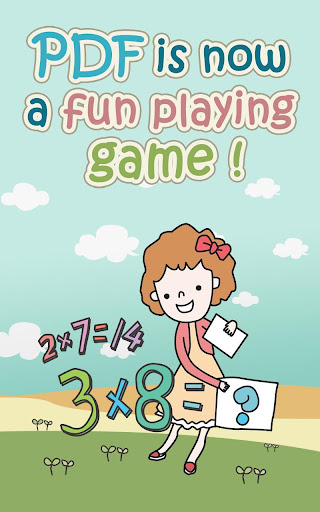
Overview: It’s a PDF reader. It’s a PDF viewer. No~ It’s the Interactive PDF Player! Do you cover the answer with your hand to memorize or use flash cards?
Here is a new way for memorization that fits for smart devices… just tap, tap, and tap.
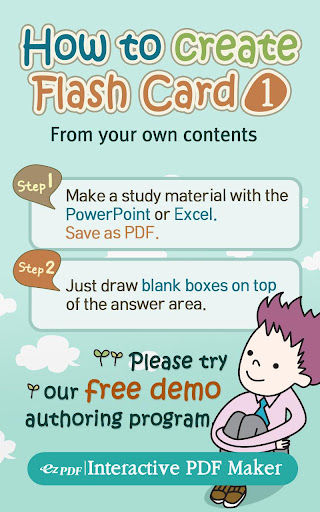
Simple three (3) Steps :
1. Use your favorite programs (Word, Excel, or PowerPoint) to create study materials, then save as PDF.
Or simply take a picture or scan study materials, then save as PDF.
2. Use our PC authoring program (demo version provided) to convert those plain PDF files into Interactive PDF.
3. Play with ezPDF CLEAR. That’s all~
ezPDF CLEAR is an acronym for “Connected Learning Easy As Read, Respond, and Repeat.” It provides a pleasant reading experience with PDF documents. Combining with touch and/or pen technology, reading is no longer limited as a book replacement. It creates a new way of productivity tools for users to act under work or study environments on their devices – marking, writing, typing, drawing, and adding images.
However, ezPDF CLEAR now adds additional new experience – Interactivity!
The World’s first introduction of PDF-based educational tool and test and quiz taking mobile application.
Mimicking Books and notes are now face of the past. Learning should be more fun and responsive to attract the users’ attention. Our new approach brings a passive PDF becomes live in action. Our authoring tool programs (currently available for PC only) can easily make the plain PDF file to video embedded books, audio embedded books, flash cards, OX, True/False, multiple choices, and short answer quizes and tests.
ezPDF CLEAR magically turns these contents to live interactively on mobile devices. Hope our app helps you to CLEAR your learning and training obstacles.
Features
=============
- Supports Samsung S Pen Technology
- Read PDF and ePub files
- Listen and watch embedded audio and video in PDF
- Highlight, underline on PDF text
- Write, draw, type, and add images on PDF
- Fill-out PDF form
- Take a quiz and test in PDF, and check answers within the same PDF for self-learning practice
- Supported Languages : English, Japanese, Korean, Spanish
What’s in this version:
2.0.7.0.1
- Bugfix.
2.0.3.0.3
- Bugfix.
2.0.3.0.2
- Bugfix.
2.0.3.0.1
- Jelly Bean Stablilization.
- Bugfix.
This app has no advertisements
Free ezPDF CLEAR Interactive PDF v2.0.7.0.1 apk

Perfectly Clear for Android v1.20 build 12 Proper


Perfectly Clear for Android v1.20 build 12 Proper
Requirements: 2.3.3 + root
Overview: Perfectly Clear has arrived for the world’s most popular mobile operating system, Android.
Athentech Imaging, the makers of Perfectly Clear, have been the industry leaders in Automatic Image Correction for years. Our powerful and desktop and intelligent LAB software have led the way for an award winning iPhone app and now Android app.
Camera phones lack the quality and sophistication that dedicated cameras have and often leave you with underexposed, washed out photos. Perfectly Clear Automatically corrects these images and turns them into stunning memories for years to come. Now, from the everyday smart phone user to the experienced mobile photographer, there is an intelligent way to automatically correct your photos anywhere, anytime.
With the new, completely redesigned interface, no effort is required to create and then share beautiful looking images with this fun-to-use app. Watch as Perfectly Clear automatically peels off your original photo to reveal a vibrant, color corrected photo with crisp details you couldn’t see in your original. Want more then automatic? Perfectly Clear lets you use our 10 patented correction to further customize your image the with the use of easy, intuitive sliders.
See for yourself the power of Perfectly Clear
What’s in this version:
• file explorer – complete control…browse through your file system & load photos from your SD card
• improved image selection:
+faster
+less memory use
+better visualizations
+image container moved from bottom to left
+single tap: select photo
+double tap: correct photo
+tap & hold: view photo properties
• EXIF info preserved
• expanded share support – send your corrected photos to any Android app that receives image intents
FIXED: bug on some LG phones: Slice out of range
•GUI tweaks
This app has NO advertisements
Free Perfectly Clear for Android v1.20 apk

Falling Leaves HD v1.0.9


Falling Leaves HD v1.0.9
Requirements: 2.3.3+
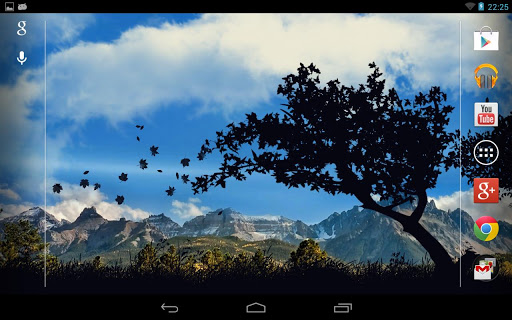
Overview: High-quality, interactive, live wallpapers for HD your device!
Our landscape will help you to feel unity with
nature right in your workplace, in transportation, travel – anywhere
no matter where you were. Lively and realistic physics
reveal to you the possibility of a variety of settings that were created to simulate the force of nature.
Installation instructions.
Home -> Menu -> Wallpaper -> Live Wallpaper
You can switch the view of the sky;
Change the number of clouds;
Change the appearance of the clouds;
Change the amount of grass;
Change the type of grass;
Change the number of falling leaves.
Change the size of the falling leaves
You can display a power indicator and direction;
Change the force of the wind;
Change the direction of the wind;
The number and location of trees;
What’s in this version:
v.1.0.9
The errors
v.1.0.8
At the request of users, is now available automatically change the time of day. Section “Sky”
Fixed bugs.
This app has NO advertisements
Free Falling Leaves HD v1.0.9 apk

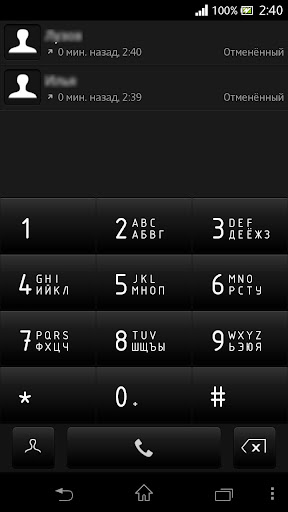
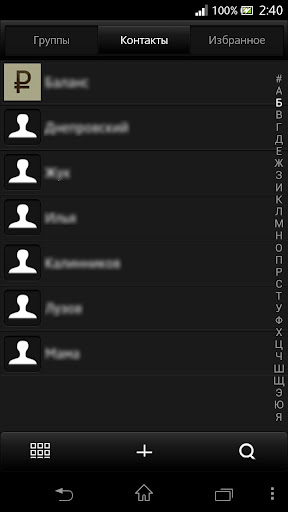
Darkest Theme exDialer v1.0


Darkest Theme exDialer v1.0
Requirements: 2.1 and up
Overview: I present to you Darkest theme for exDialer
The theme has been in the dark colors.
**PLEASE RATE**
How to install:
1. Find app exDialer, install and run
2. Install this theme
3. Run exDialer
4. Press Menu, select the “Themes” to find a theme Darkest and press apply
This game has no advertisements
Free Darkest Theme exDialer v1.0 apk

Moon+ Reader Pro v1.9.0 build 190002


Moon+ Reader Pro v1.9.0 build 190002
Requirements: 1.6 and up
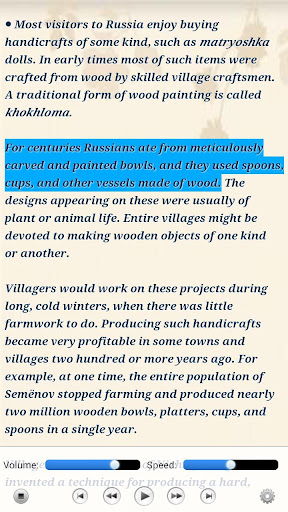
Overview: Your professional book reader for Android.
Professional book reader with powerful controls & full functions.
*Support online ebook libraries and personal calibre ebook server.
*Read local books with smooth scroll and tons of innovation.
Support txt/html/epub/umd/fb2/zip/OPDS, key features:
Full visual options: line space, font scale, bold, italic, shadow, alpha colors, fading edge etc.
10+ themes embedded, includes Day & Night mode switcher, 20+ background images, 20+ book covers.
Various types of paging: touch screen, volume keys or even camera, search or back keys.
24 customized operations (screen click, swipe gesture, hardware keys), apply to 15 customized events: search, bookmark, themes, navigation, font size and more.
5 auto-scroll modes: rolling blind mode; by pixel, by line or by page. Real-time speed control.
Adjust the brightness by sliding your finger along the left edge of the screen, gesture commands supported.
Intelligent paragraph; indent paragraph; trim unwanted blank spaces options.
“Keep your eyes health” options for long-time reading.
Real page turning effect with customized speed/color/transparent; 5 page flip animations;
My Bookshelf design: Favorites, Downloads, Authors, Tags; self bookcover, search, import supported.
Justified text alignment, hyphenation mode supported.
Highlight, Annotation, Dictionary (Offline & Online), Translation, Share functions all in moon+ ebook reader.
Localized in Bulgarian, Chinese, Czech, Danish, Dutch, English, French, German, Greek, Hungarian, Italian, Korean, Macedonian, Polish, Portuguese, Romanian, Russian, Slovak, Spanish, Swedish, Thai, Turkish and Ukrainian.
Additional benifits in pro version:
#Ad free
#Multi-point touch support
#Shake the phone to speak (Text-to-speech, TTS engine support)
#Option for password protection at startup
#Headset keys control
#Book to desktop shortcut support
#Customer email support
What’s in this version:
v1.9.0:
•Allow adjust paragraph spacing
•Auto-scroll control gestures
•Update Dual-page for landscape
•Update search actions
The Pro:
•New Carousel Coverflow mode for Shelf
•Update PDF Engine
•Speaking control gestures
•Add Speak to text-selection bar More menu
This app has NO advertisements
Free Moon+ Reader Pro v1.9.0 apk

IM+ Pro v6.4.7


IM+ Pro v6.4.7
Requirements: 2.1+
Overview: Beep, Skype, MSN, Facebook Chat, AIM, Yahoo, ICQ, Google Talk, VKontakte & more.
IM+ Pro. One app, all your messaging.
IM+ Pro has all your messaging needs covered, regardless of whether you want to text your address book contacts or stay in touch with your IM contacts.
Introducing Beep: free mobile-to-mobile in-app messenger.
We figured you’ve been looking for a free alternative to SMS for a while now. And now we’ve got that right in IM+ Pro.
Whenever you send and receive text messages, photos or voice messages, IM+ Beep will make sure that your message was successfully sent and notify you when it is safely delivered. Push will make incoming messages instantly pop up on your device.
Always on, always instant, always fun.
IM+ Pro supports all major IM services, including Facebook, Skype, MSN/Live Messenger, Google Talk, Yahoo!, AIM/iChat, ICQ, RenRen, Jabber, VKontakte, Yandex IM, Odnoklassniki.Ru and Mail.Ru Agent.
Below you may find the list of other amazing features which will definitely take your mobile IM experience to the next level:
- UI is optimized for both Android smartphones and Android tablet computers
- Send text messages, photos, and voice notes
- Group chats in Skype, MSN, AIM, ICQ
- Chat history
- Multiple accounts per service
- Create personal and geo status messages
- Customize your IMing experience with different sound notifications and emoticons
- Typing notifications
…and we’re not done yet, new IM+ features will keep coming!
What’s in this version:
- Czech localization
- New sorting and grouping options
- Support for Rage Faces emoticons
- New IM services: MeinVZ and Gadu-Gadu
- Improved interface: feels like Ice Cream Sandwich
- Bulk chat history export to SD card
- Auto OTR: option to automatically start Off-the-Record messaging session with selected contact
- Sleep mode: you may set specific time when IM+ won’t bother you with notifications
This app has no advertisements
Free IM+ Pro v6.4.7 apk

Smart Launcher Pro v1.2.8a


Smart Launcher Pro v1.2.8a
Requirements: 2.1 and up
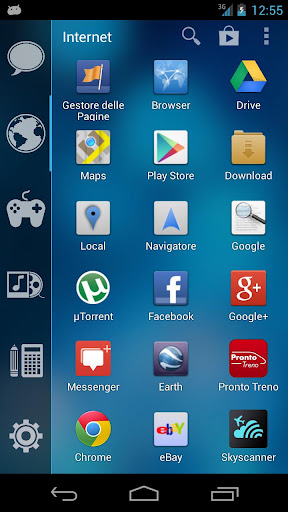
Overview: Smart Launcher is an innovative launcher characterized by a minimalist design, low memory usage and an user-friendly UI that let you start any application with a few taps.
It is currently the only launcher on the store to features automatic cataloging of installed apps!
This is the first version 
Features:
- Main screen with Quick Start
- Drawer organized by categories
- Ready to use without special configurations.
- Support for Live Wallpaper and screens of different sizes.
- Support of set of icons for Launcher Pro and ADW Launcher
What’s in this version:
If any problem occurs after update, please uninstall then reinstall.
1.2.8 major release:
- drawer now has zero lag!
- slide to open drawer.
- RESIZABLE WIDGET! (only PRO version).
- hungarian language.
- new preferences screen.
- app sorting by usage.
- improved compatibility.
- improved lefthanded mode.
1.0.11 minor release
- navigationbar bug fixed;
- more animation
- lefthanded option in drawer
This app has NO advertisements
Free Smart Launcher Pro v1.2.8a apk

Android Tuner v0.7.3


Android Tuner v0.7.3
Requirements: 2.2 and up
Overview: The most complete app for monitoring and controlling your Android devices!
** THIS IS BETA SOFTWARE – PLEASE MAKE A NANDROID BACKUP **
*** AND CREATE CWM RESTORE FILE FROM ACTIVE TWEAKS ***
*** EXISTING USERS OF BMW or ST PRO ***
*** THERE WILL BE FURTHER UPDATES ***
*** SPECIAL MIGRATION OFFER: ***
*** http://www.3c71.com/android/?q=node/932 ***
Following popular requests, this is the merging of Battery Monitor Widget, System Tuner and Multi Toggle Widget apps.
Best on rooted phones, works well on stock phones too.
Unique features not available elsewhere (requires root):
- Clean reboot
- Turn on/off APN, BT discovery, GPS & WiFi Localization
- Automatic backup of installed apps
- Logcat reader for Android JellyBean 4.1.x
- Graphical monitoring widgets
- milli-amp consumption reporting
A special APK is installed (with your permission) into /system for that purpose, for more information, please visit: http://www.3c71.com/android/?q=node/922
About the huge amount of permissions requested: http://www.3c71.com/android/?q=node/924
Full feature set (some require root access):
- File explorer (root, sd, network share, streaming)
- Application backups (auto, multiple version)
- Startup application manager*
- Application event control*
- System app uninstaller*
- System update cleaner*
- Monitoring (battery, cpu, network, memory)
- Logcat**, kernel message reader*
- App statistics since unplugged
- Task manager
- Auto-task killer
- Terminal emulator
- CPU tweaks (governor, frequency, voltages) relying on Kernel support*
- SD tweaks (cache size, scheduler)*
- Sysctl editor*
- Build.prop editor*
- Many notifications icons can be installed
- 1×1 and 2×1 text widgets
- 2×1, 3×1, 4×1, 4×2, 5×1 and 5×2 graphic widgets
- 1×1 and 4×1 toggle widgets***
- App optimizer (zipalign and database cleaner)
- Battery saver (cpu, switch off wifi, bt…)***
and much more…
* Requires root access
** Requires root access on Android 4.1 and above
*** Requires root for full feature
What’s in this version:
0.7.3:
Screen-off network traffic check option
Option to turn off marker notifications
Toggle widget 1×4 (pro only)
Task manager spacing option
Reboot shortcuts
… see info in app for all details
Should you experience issues, please send a support request from app settings describing your issue. A solution or a fix might be ready, but I can’t reply to comments.
This app has no advertisements
Free Android Tuner v0.7.3 apk

Twitter Delicious Facebook Digg Stumbleupon Favorites More