Wednesday, 16 January 2013

Colors PRO apk v4.0 download


Colors PRO v4.0
Requirements: 1.6 and up
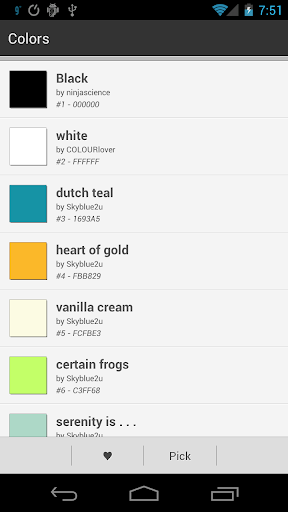
Overview: Set a solid color as a wallpaper.
From black and white to hot pink and radioactive firefly.
Enjoy!
PERMISSIONS
‘Internet’ for ColourLovers.
‘Access Network State’ for ColourLovers.
‘Set Wallpaper’ for setting wallpapers.
‘Set Wallpaper Hints’ for setting wallpapers.
CREDITS
Colors are from www.colourlovers.com.
Superdry Color Picker from http://code.google.com/p/superdry-colorpicker/
What’s in this version:
1. Added Holo look and feel for newer devices.
2. Style changes
This app has NO advertisements
Free Colors PRO v4.0 apk

NAVIGON Europe apk v4.7.1 download


NAVIGON Europe v4.7.1
Requirements: Android 2.2,Modded Google Play
Overview: NAVIGON Europe – GPS navigation
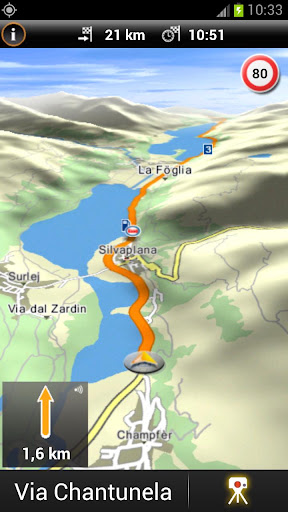
NAVIGON GPS navigation for Europe
Important notes:
- New users: The software requires additional data (maps, voices etc.) via WLAN after installation!
With NAVIGON you can transform your Android smartphone into a fully functional mobile navigation system with on-board maps, which entails no data transfer or roaming charges for map display, route calculation, etc. Thanks to a faithful adaptation of the menu functions, the app fits in seamlessly with the Android operating concept.
*** Features and range of functions ***
+ Google Street View – destination preview (where available)
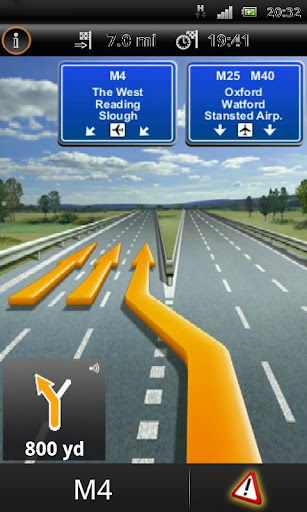
+ Lane assistant / Active Lane assistant (requires android 2.2 or higher)
+ Bluetooth support (requires android 2.2 or higher)
+ NAVION Latest Map Guarantee (new customers receive the most up-to-date map when purchasing the app)
+ Google Local Search
+ Safety Cameras (permanently installed cameras)
+ Reality View Pro
+ Speed Assistant
+ NAVIGON Reality Scanner
+ NAVIGON MyRoutes
+ Text-to-Speech and precise spoken announcements
+ Different English accents
+ Extended Pedestrian Navigation
+ Destination entry with coordinates
+ 2D and 3D map displays
+ Last Mile – can save automatically your car’s position and switches to pedestrian- resp.public transport mode* for walking of the last mile.
*Public transport mode is available only when in-app “Urban guidance” has been purchased
+ NAVTEQ map material for 44 countries of Europe
NEW: Enhance your system with in-app packages
+ Urban Guidance – navigate in many European urban areas using public transport**
+ Panorama View 3D
+ NAVIGON FreshMaps XL
+ NAVIGON cockpit
+ TrafficLive
+ The Michelin restaurant and hotel guide
+ The Michelin green guide
+ ADAC camping guide (German language only)
+ POI all-in-one (extra POI package)
+ Mobile Alert Live – a new MOBILE danger zone service
+ NAVIGON LPG and Bio-Diesel filling stations
**The service is currently available in more than 55 European metropolitan areas. Urban Guidance is a Live service and therefore requires a data connection.
Note:
- Positioning your smartphone correctly in the vehicle is very important to ensure optimal GPS reception and for your own safety! Ensure that this is always positioned outside of the range of the airbags!
- NAVIGON is an on-board solution. This means that all map material, voice announcements and system files are saved on the telephone. Therefore no charges or waiting time for data transfer are incurred.
- The Europe version requires approx. 2GB of free memory. Please ensure you have sufficient available mass-storage space (SD card). The map material must be downloaded after installing the app via wireless Internet on the smartphone. Please ensure a reliable and safe connection is available.
- On first startup a short data connection (ca. 25kB) is required to register your product
Whether in the car, by bike or on foot, NAVIGON hopes you have fun navigating.
What’s in this version:
- An additional EnergySaver setting – “Reduced frame rate when no instruction is available” – has been added. This function is the new default for EnergySaver
- Bug fix: Default setting for “Use GPS when app is in background” is set to “off” again
- Bug fix: GPS turned on automatically after app was closed
We regret any inconvenience that may have occurred due to this errors
This app has no advertisements
Free NAVIGON Europe v4.7.1 apk

3D BLACK DELUXE GO theme apk v1.0 download


3D BLACK DELUXE GO theme v1.0
Requirements: Android 2.0 and up
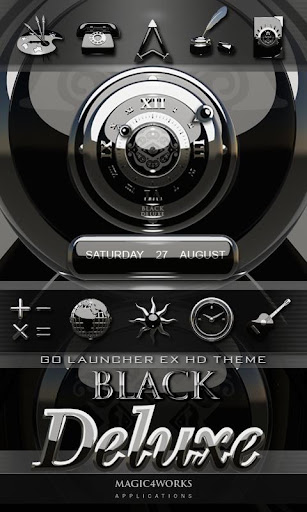
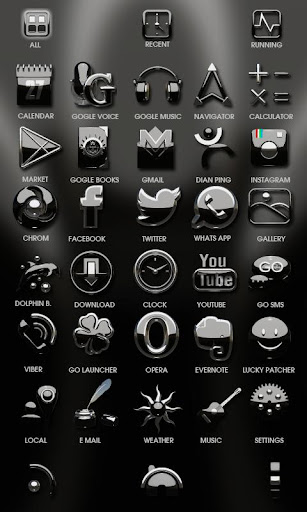
Overview: 3D BLACK DELUXE is a high class designer GO LauncherEX theme with beautiful black glossy hd Wallpaper backgrounds and amazing handmade 3D black glossy icons.
Personalize your smartphone with finest 3D art. The HD BLACK DELUXE theme has currently 108 beautiful 3D icons.
note:
***This app only works with GO Launcher EX.
***Install GO Launcher free from the market first.
Get also now the mega edition BLACK DELUXE clock widget straight on your smartphone or Tablet and complete your homescreen design.
Enter magic4works in market-search and find your 3D BLACK DELUXE APP collection in google play store.
Magic4works: over 150 designer apps, designer HD live wallpaper beautiful clock widgets and digital clock widgets for your smartphone and Tablet.
This app has no advertisements
Free 3D BLACK DELUXE GO theme v1.0 apk

RadiON apk v3.0.2 download


RadiON v3.0.2
Requirements: 2.2+
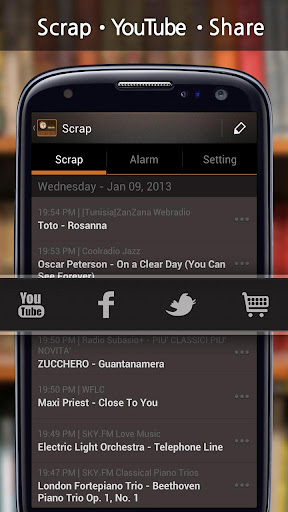
Overview: ★ Listen to 50,000 stations from around the world!
English, Español, Français, Deutsch, Italiano, Nederlands, Dansk, Türk, 中文简体, 中文繁體, 日本語, 한국어
1 App in Brazil, Japan, South Korea, Belgium, France, Spain, Hungary, Lithuania and Taiwan
2 App in France, Germany, Italy, Czech, Belgium and Uganda
5 App in Spain, Poland, Austria, Greece, Brazil, Russia, Luxembourg, Nigeria, Netherlands, St. Lucia and Trinidad Tobago
1 Music App in 54 countries
Recommended by
USA TODAY : usat.ly/RadioToday
Gizmodo : bit.ly/RadioGizmodo
Appsafari Rating 4.5/5 : bit.ly/RadioSafari
Features:
✔ Radio
Listen to 50,000 radios stations from around the world
Antique-style theme provided
Search for stations by keyword
Display song information (title/singer)
Control brightness / Volume
Listed stations by country
Listed stations by Top 100
Sleep Timer Supported
✔ Alarm
Can set the ‘Radio Channel’ alarm sounds
Shake to turn off the alarm
Support for multiple alarms
Fully configurable snooze time interval
Alarm sound with vibration
Set “Fade In/Fade Out” time
Set number of “Shakes”
What’s in this version:
- Setting Button bug fixed
This app has no advertisements
Free RadiON v3.0.2 apk

CrossMe Color apk v1.7.7.1 download


CrossMe Color v1.7.7.1
Requirements: 2.1+
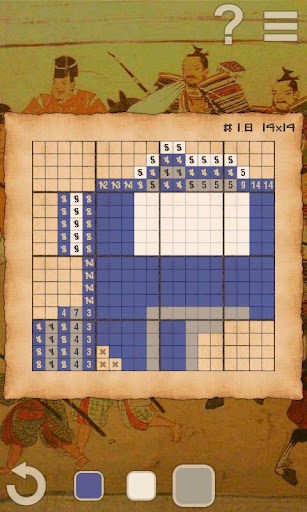
Overview: CrossMe Color Premium is a fun and challenging puzzle for all skill levels and all ages from beginners to enthusiasts. It is a Color Japanesse Crossword (Nonogram) where you discover a hidden image marking cells or leaving them blank according to the numbers on the side of the grid.
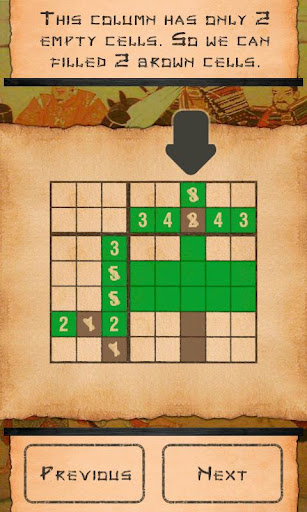
We provide few simple crosswords for you to learn how to play the game, as well as the step-by-step tutorial. Those familiar with Japanese crosswords may skip this and go to more challenging larger pictures. We will keep on adding crosswords in the future, please watch for updates.
Game contains 150+ crosswords and unlimited number of random crosswords!
All crosswords have been checked. But if you found mistake, please, send us email.
Tip: To fill the line of cells at once, tap and hold on cell. The ring will appear and after that move it.
You may zoom in and out by pinch or volume buttons
You can find other tips in Rules.
What’s new in version 1.7.7.1
New puzzles
Interface changes
Bug fixes
This game has NO advertisements
Free CrossMe Color v1.7.7.1 apk

Smart RAM Booster Pro apk v1.7 download


Smart RAM Booster Pro v1.7
Requirements: 2.0.1+
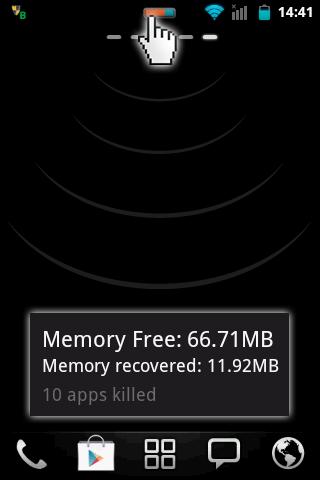
Overview: The most beautiful part of this app is a small, configurable widget that places on top of any app and one-click to RAM boost.
Recommended by AddictiveTips.
Hotest Apps by AppBrain.
Most of Android devices bundle with limited memory. Android task manager will selectively kill low priority tasks in order to reserve memory to higher priority task. That’s not always run at an appropriate time, causing low responsive apps, lagging, especially when you launch a new app after heavily browsing web pages. It causes a worse experience.
How RAM Booster works
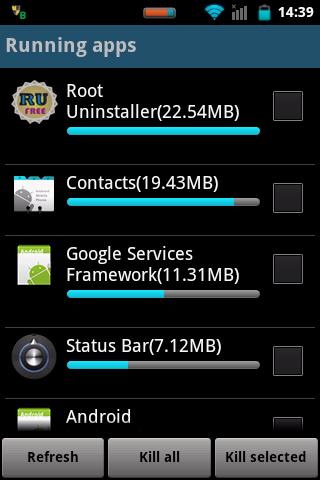
RAM Booster is designed to overcome these issues by selectively kill less important apps that are running in the background but consumes considerable device’s memory.
RAM Booster comes with auto-boost in 4 levels: aggressive, strong, medium, gentle.
☆ Aggressive: kill most of low priority apps
☆ Strong: Kill apps that is low priority as well as consume lightly below an “average”
☆ Medium: kill apps that consumes memory above an “average”
☆ Gentle: kill only apps that uses considerable memory
“Average” is evaluated real-time based on running apps and change over time.
How to work RAM Booster
There are 5 ways to boost
☆ Auto-boost: boost automatically under RAM available & timing conditions
☆ Overlay widget – Enable RAM Booster overlay widget (on by default), adjust widget’s position, and tap on widget to boost anytime you want
☆ Home screen widget – one tap to boost (long-press your home screen>Widget to add RAM Booster widget)
☆ Notification bar – one tap to boost (toggle notification bar visibility in app’s setting)
☆ Boost Now – tap this button from app’s main screen
Tool:
☆ 1-click cache cleaner
There are plenty options from app’s settings to twist boosting process:
☆ Boost level: select a boost level
☆ Nice themes at your choice
☆ Whitelist apps: apps will not be killed when boosting
☆ Boost automatically: auto-boost, come with minimal RAM threshold and Boost interval
☆ Report style- define how to show reports
☆ Feedback- a haptic feedback when touch on boost widget
☆ Overlay widget position/size – Change overlay widget position/size
☆ Overlay widget transparency- Change transparent/opaque level
☆ OnClick/OnLongClick options for overlay widget
What’s in this version:
V 1.7
- Added new widget 1×1 “Fast Reboot” (only Pro)
- Support “Hide overlay widget when any app run on full screen”
- Added languages: Spanish/America, Portugese/Portugal, Bulgarian
This app has NO advertisements
Free Smart RAM Booster Pro v1.7 apk

Mobile Counter Pro 3G, WIFI apk v2.7 download


Mobile Counter Pro 3G, WIFI v2.7 apk
Requirements: Android 2.1 and up
Overview: Application to count network traffic (GSM/CDMA/WIFI)
Application to count network traffic (GSM/CDMA/WIFI)
Mobile Counter(3G, WiFi, network traffic) – application to count network data GSM/CDMA/WIFI
Languages support: English, German, Slovak, Polish, Chinese, Romanian, French, Italian, Portuguese, Russian, Czech
Calculation types:
- Standard counting(default)
- Enable/Disable rounding in blocks (e.g to 100KB for session)
- Enable/Disable separately round outgoing and incoming transfer to block of data
- Disable couting outgoing(sent) transfer
Example calculation without blocks:
Received 134 KB, sent 455 KB –> Will be saved 134+455=589 KB
Example calculation with blocks of data:
Basic carrier unit (block of data): 100 KB
When disable separately rounding:
Received 134 KB, sent 455 KB –> after disable mobile network in your phone will be saved: 134+455=589 (round to 600 KB)->600 KB
When enable separately rounding outgoing and incoming data (you have to enable separately rouning in application options):
Received 134 KB, sent 455 KB –> after disable mobile network in your phone will be saved: 134 (round to 200 KB)+455 (round to 500 KB)=700 KB
Similar application to 3G watchdog, netCounter, netTraffic, network traffic,
Application without ADS and for free. Extended functionality has been added for users who donate application.
You decide how worth/useful this application is for you, so you can donate with value you want
New functionality for users who donate application:
- More widgets 2X1(WIFI, transfer limits, billing period)
- More widgets 1X1(GSM, WIFI, transfer limits, billing period)
- New styles for notification bar (limit transfer, mobile GSM/CDMA, billing period)
- Transfer used by application (req. android>2.1)
- Export/Import data to SD card
- Billing period calculation
- Option to not counting sent transfer
- Option to set alerts when transfer limit less than … (in MB) will expire in … (days)
- Option to enable vibration when transfer limit will be exceeded
- Option to set first day in week (Saturday, Sunday, Monday)
- Show application icon in notification only when enable GSM/CDMA/WIFI
- Set expiration period in days, weeks, months
- Option to count separately transfer for one WIFI SSID e.g to count hotspot traffic
- New statistics (for billing period, WIFI SSID)
- Option to add not used transfer from last period to next
Needed permissions:
android.permission.ACCESS_WIFI_STATE – to check if WIFI is enable/disable
android.permission.ACCESS_NETWORK_STATE – to check if GSM is enable/disable
android.permission.WRITE_EXTERNAL_STORAGE – to save exported transfer to SD card
android.permission.READ_PHONE_STATE – to read id_device (id_device is require to generate unique activation code for extended functionality for user who donate app)
android.permission.VIBRATE – to enable vibration when transfer limit will be exceeded (optional in settings)
No permissions to network, so application doesn’t send any information from phone.
Please check if GSM/CDMA/WIFI works for you on your phone before donate.
What’s in this version : (Updated : Jan 15, 2013)
Add separate counting for tethering traffic (beta)
Add format with hours/minutes when notifications should be shown
Change plan configuration – now original amount can be < left traffic (usefull in case when former transfer from last last month is adding to next month
Fixed bugs
This app has no advertisements
Free Mobile Counter Pro 3G, WIFI v2.7 apk

Black Infinitum Inverted apk v3.3 download


Black Infinitum Inverted v3.3 apk
Requirements: Android 4.1+
Overview: This is a theme for Theme Chooser engine (CyanogenMod & AOKP),its purpose is to enhance the Android UI without compromising the vanilla look.
This version includes inverted apps such as SMS, Contacts, Gmail, Email and Play Store.
Stock battery available as “circle” in settings for AOKP/Liquid.
If you get: “Sorry, this theme is missing assets for your device’s screen size”, APPLY IT ANYWAY.
Official thread @ XDA Developers: http://forum.xda-developers.com/showthr … ?t=1615767
FIX FOR CONTACTS AND MESSAGING APP TEXT ISSUES
http://www.mediafire.com/?5ge901bhqom3wvk
For any problem send me a mail.
What’s in this version:
v3.3
-added inverted Youtube
This app has NO advertisements
Free Black Infinitum Inverted v3.3 apk

Black Infinitum Inverted apk v3.3 download


Black Infinitum Inverted v3.3 apk
Requirements: Android 4.1+
Overview: This is a theme for Theme Chooser engine (CyanogenMod & AOKP),its purpose is to enhance the Android UI without compromising the vanilla look.
This version includes inverted apps such as SMS, Contacts, Gmail, Email and Play Store.
Stock battery available as “circle” in settings for AOKP/Liquid.
If you get: “Sorry, this theme is missing assets for your device’s screen size”, APPLY IT ANYWAY.
Official thread @ XDA Developers: http://forum.xda-developers.com/showthr … ?t=1615767
FIX FOR CONTACTS AND MESSAGING APP TEXT ISSUES
http://www.mediafire.com/?5ge901bhqom3wvk
For any problem send me a mail.
What’s in this version:
v3.3
-added inverted Youtube
This app has NO advertisements
Free Black Infinitum Inverted v3.3 apk

Torque Mazdaspeed 2007-09 apk v1.6 download


Torque Mazdaspeed 2007-09 v1.6
Requirements: Android 1.6+
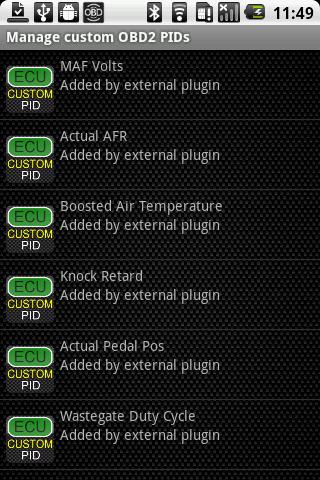
Overview: Additional Torque OBD PID information for the 2007-2009 Mazdaspeed 3 & 6 (MPS in Europe)
Boosted Air Temperature
Knock Retard
Wastegate Duty Cycle (beta)
MAF Volts
Actual AFR
Actual Pedal Pos
*Requires the latest Pro version of the application “Torque” to function. Will not work with the Lite version of Torque.
WGDC is currently in beta, meaning it should be accurate, but until I get some solid feedback stating its good then I would not suggest you use this value for tuning.
Installation Verification:
1) Check to see that the plugin is listed in the “Installed Applications” of your Android device.
2) Check that the plugin is listed in Torque under “Settings” -> “Plugins” -> “Installed Plugins…”
Initial Configuration Instructions:
1) Be sure to have an active internet connect for purchase authorization.
2) Launch Torque and go to “Settings”
3) Scroll down to “Manage extra PIDs/Sensors”.
4) Unless you have added any pre-defined PIDs in the past, this screen will not have any existing entries shown.
5) At this point the installed PID plugins are loaded into Torque and purchases are validated. From the menu, choose “Add predefined set”.
6) If the purchase was validated corectly, you should see an entry for “Mazdaspeed 2007-09″ in the list. If you do not see the entry, then the validation may still be in process or the plugin may not have been installed correctly. Go back to step 4, and wait 10 seconds or so before continuing. This should give all validations time to complete.
This app has NO advertisements
Free Torque Mazdaspeed 2007-09 v1.6 apk

Twitter Delicious Facebook Digg Stumbleupon Favorites More